MySQL JSON Columns for PHP Developers: When to Use Them and How to Make Them Fast
JSON columns in MySQL are powerful but misunderstood. Here's a practical guide for PHP developers on when JSON makes sense, how to query it efficiently, and the indexing tricks that keep things fast.
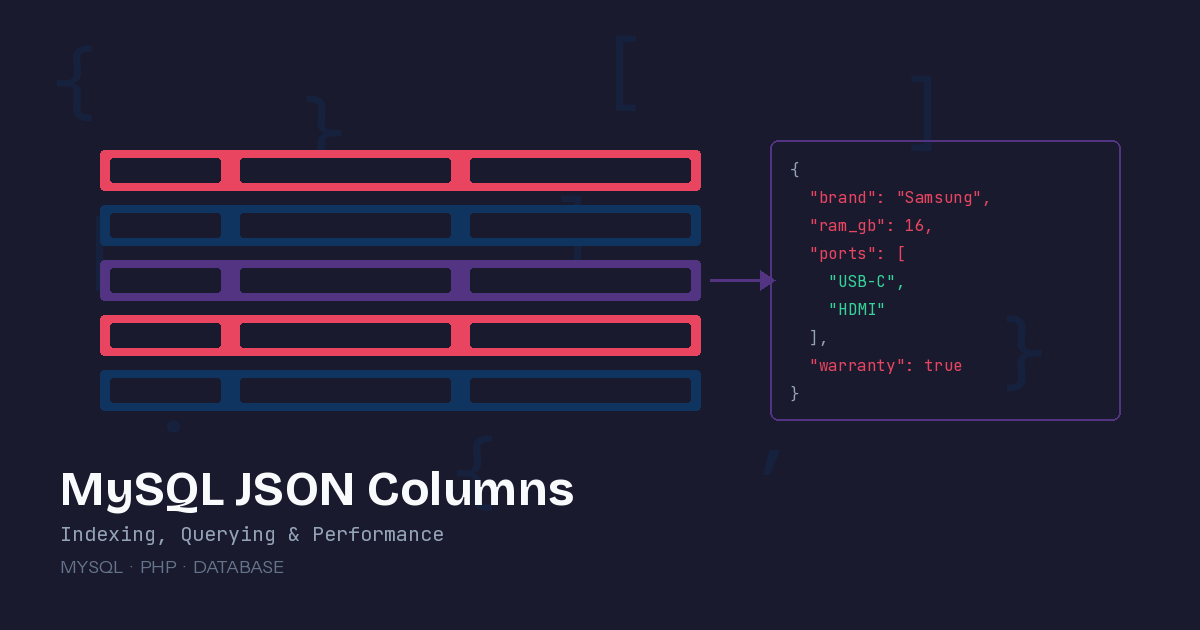
MySQL’s JSON column type has been around since version 5.7, but it’s one of those features where the gap between “I know it exists” and “I know when and how to use it well” is surprisingly wide. Used correctly, JSON columns give you schema flexibility exactly where you need it. Used poorly, they become a performance trap that’s hard to escape once your data grows.
Here’s a practical guide to getting it right, written from a PHP developer’s perspective with real query patterns you can use today.
When JSON Columns Make Sense
Not everything belongs in a JSON column. The decision comes down to a few clear signals.
Use JSON when the structure of the data varies between rows. Think user preferences, product attributes across different categories, form submissions with dynamic fields, or API response caching. If every row has the same fields, a normal column is faster and easier to query. If the shape of the data is unpredictable or changes frequently, JSON earns its place.
Avoid JSON when you need to filter, sort, or join on the data regularly. JSON columns can’t be indexed directly, and while there are workarounds (we’ll get to those), a regular indexed column will always outperform a JSON extraction in a WHERE clause.
A practical example: an e-commerce products table. Every product has a name, price, and category — those are regular columns. But a laptop has RAM and screen size, a shirt has color and fabric, and a book has ISBN and page count. Those variable attributes are a perfect JSON use case:
CREATE TABLE products (
    id BIGINT UNSIGNED PRIMARY KEY AUTO_INCREMENT,
    name VARCHAR(255) NOT NULL,
    price DECIMAL(10, 2) NOT NULL,
    category VARCHAR(100) NOT NULL,
    attributes JSON NOT NULL,
    created_at TIMESTAMP DEFAULT CURRENT_TIMESTAMP,
    CHECK (JSON_VALID(attributes))
);
The CHECK (JSON_VALID(attributes)) constraint ensures only valid JSON gets stored. It’s a small safeguard that catches malformed data before it becomes a debugging headache.
Querying JSON in PHP with PDO and Eloquent
MySQL provides two operators for extracting JSON values: -> returns a JSON-typed result (strings come back with quotes), and ->> returns an unquoted text value. In practice, you’ll use ->> most of the time.
Raw PDO
$stmt = $pdo->prepare("
    SELECT name, price, attributes->>'$.brand' AS brand
    FROM products
    WHERE attributes->>'$.brand' = :brand
");
$stmt->execute(['brand' => 'Samsung']);
Laravel Eloquent
Laravel has solid JSON support baked into the query builder:
// Extract a JSON value
$laptops = Product::where('category', 'laptops')
    ->where('attributes->ram_gb', '>=', 16)
    ->orderBy('price')
    ->get();

// Access JSON attributes on the model
$product = Product::find(1);
$brand = $product->attributes['brand'];  // Works with array cast

// Update a specific JSON path
Product::where('id', 1)->update([
    'attributes->brand' => 'Updated Brand',
]);
Make sure your model casts the JSON column to an array or object:
class Product extends Model
{
    protected $casts = [
        'attributes' => 'array',
    ];
}
The Indexing Problem (and How to Solve It)
Here’s the catch that bites most developers: you cannot create a standard index on a JSON column. Running CREATE INDEX idx ON products(attributes) will fail. This means every query that filters on a JSON path does a full table scan unless you take extra steps.
Solution 1: Generated Columns
The most reliable approach is to create a virtual or stored generated column that extracts the JSON value, then index that column:
ALTER TABLE products
    ADD COLUMN brand VARCHAR(100)
        GENERATED ALWAYS AS (attributes->>'$.brand') STORED;

CREATE INDEX idx_brand ON products(brand);
Now this query uses the index:
SELECT * FROM products WHERE brand = 'Samsung';The STORED keyword means MySQL physically writes the extracted value to disk and keeps it in sync when the JSON changes. Use VIRTUAL instead if you want to save disk space and the column is rarely queried — virtual columns are computed on read.
In Laravel, you can create this with a migration:
Schema::table('products', function (Blueprint $table) {
    $table->string('brand', 100)
        ->virtualAs("attributes->>'$.brand'")
        ->nullable()
        ->index();
});
Solution 2: Multi-Value Indexes for Arrays
If your JSON contains arrays — like tags on a product — MySQL 8.0.17+ supports multi-value indexes:
CREATE TABLE articles (
    id BIGINT UNSIGNED PRIMARY KEY AUTO_INCREMENT,
    title VARCHAR(255),
    metadata JSON,
    INDEX idx_tags ((CAST(metadata->>'$.tags' AS CHAR(50) ARRAY)))
);
Now you can efficiently search for articles with a specific tag:
SELECT * FROM articles
WHERE JSON_CONTAINS(metadata->'$.tags', '"php"');
Without the multi-value index, JSON_CONTAINS on a large table is painfully slow. With it, MySQL uses the index to narrow down candidates before evaluating the full condition.
Essential JSON Functions for Daily Work
Beyond basic extraction, these functions handle the most common operations:
Updating Nested Values
// Update a specific key without replacing the entire document
$pdo->prepare("
    UPDATE products
    SET attributes = JSON_SET(attributes, '$.warranty_months', :months)
    WHERE id = :id
")->execute(['months' => 24, 'id' => 1]);
JSON_SET creates the key if it doesn’t exist and updates it if it does. JSON_REPLACE only updates existing keys. JSON_INSERT only adds new keys. Choose based on your intent.
Searching for Key Existence
// Find products that have a 'color' attribute defined
$stmt = $pdo->query("
    SELECT name FROM products
    WHERE JSON_CONTAINS_PATH(attributes, 'one', '$.color')
");
Expanding JSON Arrays to Rows
JSON_TABLE is incredibly useful for reporting on array data:
SELECT p.name, tag.value AS tag
FROM products p,
JSON_TABLE(
    p.attributes,
    '$.tags[*]' COLUMNS (
        value VARCHAR(50) PATH '$'
    )
) AS tag
WHERE p.category = 'electronics';
This turns {"tags": ["sale", "featured", "new"]} into three separate rows, one per tag. It’s the bridge between JSON flexibility and relational querying.
Aggregating Into JSON
Going the other direction, you can build JSON from relational queries:
$stmt = $pdo->query("
    SELECT category, JSON_ARRAYAGG(name) AS product_names
    FROM products
    GROUP BY category
");
This returns each category with a JSON array of all product names in that category — handy for building API responses without multiple queries.
Performance Rules of Thumb
After working with JSON columns across several production applications, these guidelines hold up consistently:
Keep JSON documents under 1KB when possible. MySQL stores small JSON inline with the row, but larger documents get stored externally, adding an extra disk read on every access.
Create generated columns for any JSON path that appears in a WHERE, ORDER BY, or JOIN clause. The disk cost is minimal and the query improvement is dramatic.
Don’t use JSON columns as a replacement for proper table design. If you’re storing the same five keys in every row’s JSON, those should be regular columns. JSON is for the variable parts.
Use JSON_VALID() constraints and Laravel’s array casting together. The constraint catches bad data at the database level, and the cast makes the data ergonomic at the application level.
Test with realistic data volumes. JSON queries that work fine on 1,000 rows can crawl at 100,000 rows without proper indexing. Run EXPLAIN on your queries early and often.
JSON columns aren’t a silver bullet, but they fill a real gap in relational databases. The key is knowing when to reach for them and having the indexing strategies ready when you do.
Sources:
- MySQL JSON Data Best Practices — OneUptime Blog
- MySQL 8.0 JSON Function Reference — MySQL Documentation