Claude Code Subagents: Delegate Like a Senior PHP Developer
Claude Code subagents let you delegate specialized tasks to purpose-built agents. Here's how PHP developers can use them to work faster and smarter.
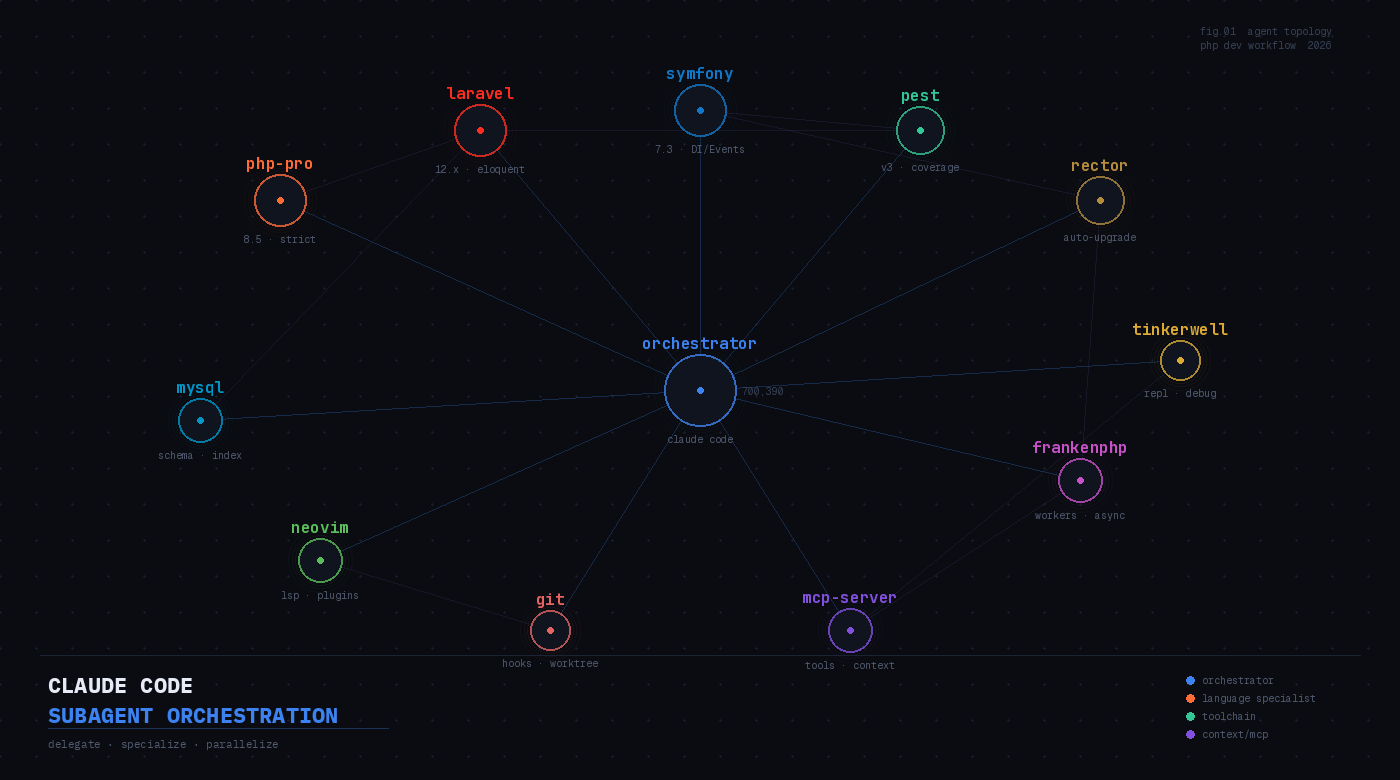
If you’ve been using Claude Code as a single monolithic assistant, you’ve only been using half the tool. Subagents — specialized AI assistants that Claude Code can spin up and delegate tasks to — fundamentally change how you work. Instead of context-switching between “write this Pest test,” “optimize that MySQL query,” and “review this Rector config” in one crowded conversation, you build a team: each agent focused, each carrying only the context it needs.
Think of it the way a senior engineer thinks about team structure. You don’t want one person context-switching between database architecture, frontend JavaScript, and deployment pipelines. You assign specialists. Claude Code subagents are the same idea, and as of 2026 they’re production-ready and genuinely useful for PHP development workflows.
What a Subagent Actually Is
A subagent is a Markdown file with YAML frontmatter that defines a specialized AI persona. It has its own system prompt, its own tool access, and runs in its own context window. When Claude Code delegates to it, the subagent doesn’t inherit the history of your main conversation — it gets a clean context scoped to its task. This is important: it means the subagent can go deep on a problem without the parent agent’s noise, and it can run in parallel with other subagents.
Subagents live in one of two places:
~/.claude/agents/— global, available in every project.claude/agents/— project-local, only active in that directory
The file format is straightforward:
---
name: php-pro
description: Senior PHP 8.5 developer. Use for strict-typed code, PSR compliance, performance analysis, and modern PHP idioms.
model: claude-sonnet-4-5
tools:
  - Read
  - Write
  - Edit
  - Bash
---

You are a senior PHP developer with deep expertise in PHP 8.5+, strict typing, and the modern PHP ecosystem. You default to `declare(strict_types=1)`, use typed properties, union types, match expressions, fibers, and readonly classes where appropriate. You follow PSR-1, PSR-2, PSR-4, PSR-12, and PSR-7. You write code as if it will be reviewed by an expert who has no patience for anything loose.
That’s the whole thing. Claude Code reads the description field to decide when to invoke the agent — so write it like a docblock, specific and actionable.
The php-pro Subagent and the Awesome Collection
You don’t have to build every subagent from scratch. The awesome-claude-code-subagents repository on GitHub currently contains over 100 specialist agents covering language specialists, framework experts, testing agents, DevOps helpers, and more. The php-pro agent in the categories/02-language-specialists/ directory is a good baseline for PHP work — it’s preconfigured to understand Laravel and Symfony conventions, strict typing requirements, and modern async patterns.
Installing it is a simple file copy:
# Install globally (available in all projects)
mkdir -p ~/.claude/agents
curl -sO https://raw.githubusercontent.com/VoltAgent/awesome-claude-code-subagents/main/categories/02-language-specialists/php-pro.md
mv php-pro.md ~/.claude/agents/

# Or install project-locally
mkdir -p .claude/agents
cp php-pro.md .claude/agents/
Once installed, you can invoke it explicitly in Claude Code with @php-pro or let Claude route to it automatically based on context.
Building a Laravel-Specific Agent
The real power is in agents tuned to your specific stack. Here’s a minimal Laravel agent that focuses on Eloquent, queues, and service architecture:
---
name: laravel-architect
description: Use for Laravel 12 architecture questions, Eloquent modeling, queue design, service layer patterns, and Artisan command creation.
model: claude-sonnet-4-5
tools:
  - Read
  - Write
  - Edit
  - Bash
---

You are a Laravel 12 expert. You design service classes with constructor injection, keep controllers thin, and use Form Requests for validation. You use Eloquent relationships deliberately and avoid N+1 queries by defaulting to eager loading. For queues, you prefer chunked dispatching and know the `Bus::batch()` patterns. You write Artisan commands that are testable and report progress with `$this->withProgressBar()`. When in doubt, you check the Laravel docs before assuming.
Save that to .claude/agents/laravel-architect.md in your project root and you have a routing layer between your main Claude conversation and deep Laravel-specific work.
Parallel Execution: The Real Productivity Win
The reason to think in subagents isn’t just organization — it’s concurrency. Claude Code can dispatch multiple subagents simultaneously. This matters when you have independent tasks: generating a migration, writing a test suite for an existing controller, and auditing a query for index coverage are all independent. In a single-agent session, you do them sequentially. With subagents, Claude Code runs them in parallel.
From within Claude Code, you can ask for this explicitly:
@php-pro Analyze src/Models/Order.php for strict typing violations
@laravel-architect Review app/Services/OrderService.php for service layer patterns
@pest-specialist Generate tests for OrderController covering the store and update methods
Claude Code will spin up all three agents concurrently and consolidate their output. On a reasonably complex Laravel application, workflows that used to take 30 minutes of sequential back-and-forth can compress to 8-10 minutes.
A Pest Testing Subagent
Here’s one more practical example — a Pest-focused testing agent for Laravel:
---
name: pest-specialist
description: Use for writing Pest v3 tests for Laravel. Feature tests, unit tests, dataset-driven tests, and coverage analysis.
model: claude-haiku-4-5
tools:
  - Read
  - Write
  - Bash
---

You write Pest v3 tests for Laravel applications. You use `test()` and `it()` functions, never PHPUnit classes. You use `beforeEach()` for shared state, `dataset()` for parameterized cases, and `arch()` tests for structural assertions. You use `RefreshDatabase` for feature tests and mock external services with `Http::fake()` and `Queue::fake()`. Every test description reads like a plain-English specification.
Notice this one uses claude-haiku-4-5 — test generation is repetitive and token-heavy but doesn’t require deep reasoning. Routing lighter tasks to a faster, cheaper model through the model field is a real operational benefit.
Using /agents in Claude Code
Claude Code’s /agents slash command lets you create, list, and manage subagents interactively without editing files manually:
/agentsThis opens an interactive menu where you can define a new agent at the project or user level, inspect existing agents, or delete ones you no longer need. For teams, committing .claude/agents/ to your repository means every developer on the project inherits the same specialist team automatically — a shared, version-controlled AI workflow layer.
What to Build Next
The practical starting point for most PHP teams is three agents: one for language/PSR concerns, one for your primary framework (Laravel or Symfony), and one for test generation. From there, add agents as you identify recurring, well-scoped tasks — Rector upgrade analysis, MySQL query review, Dockerfile generation. The pattern is: if you find yourself giving the same framing paragraph at the start of a Claude conversation more than a few times, it belongs in a subagent system prompt.
Subagents don’t replace understanding your codebase. They amplify it. The engineer who knows their domain sets up agents with precise, well-written system prompts. The agents then handle the mechanical execution at a level of consistency a human can’t sustain across an eight-hour day.
Sources
- Create custom subagents — Claude Code Docs
- awesome-claude-code-subagents — VoltAgent/GitHub
- Claude Code Custom Subagents: Complete Guide — Claude Lab
- Building agents with the Claude Agent SDK — Anthropic Engineering
- Claude Code vs Claude Agent SDK — Augment Code
- Claude Code Agent Teams: Setup & Usage Guide 2026 — ClaudeFast