NeoVim for PHP Developers: Simplified LSP Setup in NeoVim 0.11 and 0.12
NeoVim 0.11 and 0.12 dramatically simplified PHP LSP setup. Learn how to configure phpactor, Treesitter, Blade support, and Laravel Pint with minimal config.
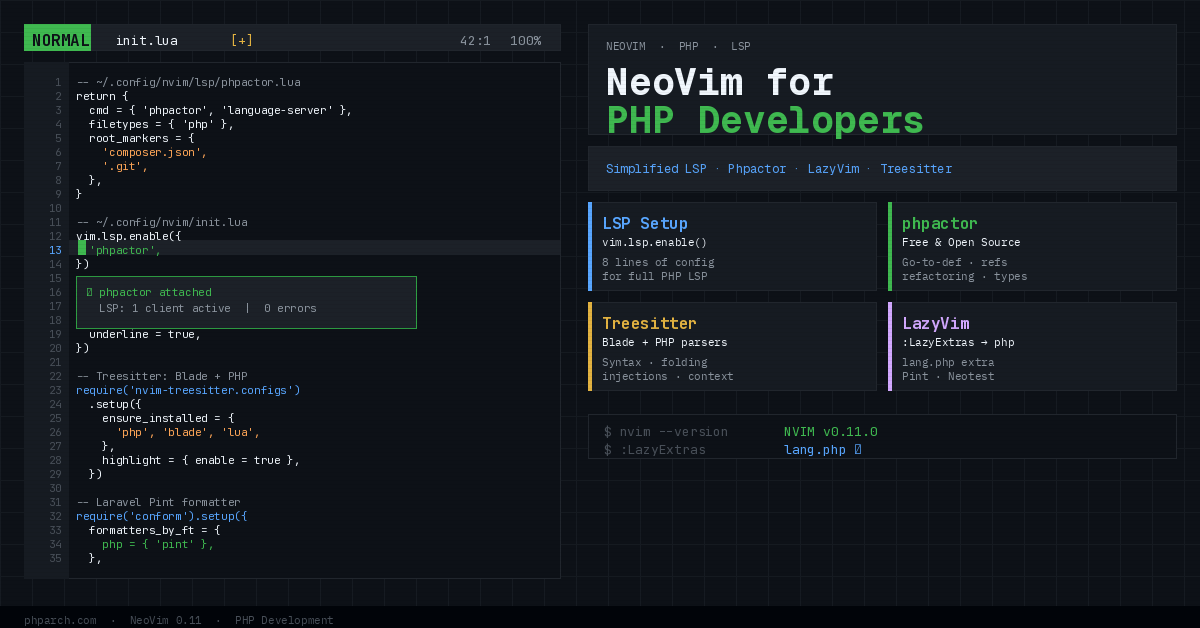
If you have been putting off setting up NeoVim as your PHP editor because the LSP configuration always seemed like a weekend project, things have genuinely gotten better. NeoVim 0.11, released in March 2025, landed with a dramatically simplified approach to Language Server Protocol setup. NeoVim 0.12, which followed in early 2026, pushed even further with a built-in plugin manager, native insert-mode autocomplete, and interactive LSP management via a new :lsp command. The barrier to a fully capable PHP development environment in NeoVim is lower than it has ever been.
This is a practical walkthrough of what that actually looks like, covering LSP setup with phpactor, syntax highlighting via Treesitter (including Blade), code formatting with Laravel Pint, and a handful of plugins that PHP developers specifically will find useful.
The Old Way vs. The New Way
Before NeoVim 0.11, getting an LSP working meant pulling in nvim-lspconfig, writing per-language configuration blocks with require('lspconfig').phpactor.setup({...}), and often layering on additional plugins for completion (nvim-cmp), diagnostics display, and keymaps. It worked, but it required understanding several interacting systems before you saw any benefit.
Starting in 0.11, the LSP configuration lives in your runtime path under an lsp/ directory. You create a file named after the server, and NeoVim handles the rest when you call vim.lsp.enable() in your init.lua. Here is the complete phpactor configuration:
-- ~/.config/nvim/lsp/phpactor.lua
return {
  cmd = { 'phpactor', 'language-server' },
  filetypes = { 'php' },
  root_markers = {
    'composer.json',
    '.git',
  },
}
And in your init.lua:
vim.lsp.enable({ 'phpactor' })

vim.diagnostic.config({
  virtual_text = true,
  signs = true,
  underline = true,
})
That is the full configuration. Eight lines gives you go-to-definition, find references, code completion, rename symbol, and diagnostics for PHP files. NeoVim 0.11 also added sensible global default keymaps for LSP actions (gd for go-to-definition, K for hover docs, grr for references), so you do not need to define those manually either.
Choosing Your PHP Language Server
You have two real options for a PHP LSP: phpactor and Intelephense.
Phpactor is free and open source, written in PHP, and actively maintained. It handles go-to-definition, find references, code completion, and a solid set of refactoring actions including class extraction and method generation. Its main weakness is that it does not understand Laravel’s magic particularly well out of the box. You can address this with Laravel IDE Helper, which generates stubs for facades, models, and other framework features that phpactor can index.
Intelephense is the same LSP that powers PHP support in VS Code. It offers slightly better type inference and framework awareness, particularly for Laravel. The free tier covers most daily needs, but the paid license ($25 USD, one-time) unlocks additional features. A single license works across any editor that supports LSP, so if you already have it for VS Code it will work in NeoVim immediately.
If you are using LazyVim, switching between the two is a single line in your options.lua:
vim.g.lazyvim_php_lsp = "intelephense"The default LazyVim PHP extra installs phpactor. Toggling this variable switches to Intelephense. You can remove phpactor through Mason (:Mason, find phpactor, press X).
LazyVim PHP Extras
If you are starting fresh and do not want to assemble everything by hand, LazyVim is the fastest path to a working PHP environment. Run :LazyExtras, search for php, and toggle lang.php with x. After restarting, you have phpactor, Treesitter PHP support, PHP-CS-Fixer, and phpcs all installed and configured.
To switch the formatter from PHP-CS-Fixer to Laravel Pint, create ~/.config/nvim/lua/plugins/php.lua:
return {
  {
    "stevearc/conform.nvim",
    optional = true,
    opts = {
      formatters_by_ft = {
        php = { { "pint", "php_cs_fixer" } },
      },
      format_on_save = true,
    },
  },
}
This makes Pint the default formatter with PHP-CS-Fixer as a fallback for projects that do not use Pint. Saving a PHP file will now auto-format it.
Treesitter and Blade Support
NeoVim’s Treesitter integration provides syntax highlighting that understands code structure rather than matching patterns. For PHP files this means accurate highlighting across complex heredocs, string interpolation, and attribute syntax. The PHP parser is part of nvim-treesitter’s default set. Blade requires additional setup:
{
  "nvim-treesitter/nvim-treesitter",
  opts = function(_, opts)
    vim.list_extend(opts.ensure_installed, {
      "blade",
      "php_only",
    })
  end,
  config = function(_, opts)
    vim.filetype.add({
      pattern = {
        [".*%.blade%.php"] = "blade",
      },
    })

    require("nvim-treesitter.configs").setup(opts)
    local parser_config = require("nvim-treesitter.parsers").get_parser_configs()
    parser_config.blade = {
      install_info = {
        url = "https://github.com/EmranMR/tree-sitter-blade",
        files = { "src/parser.c" },
        branch = "main",
      },
      filetype = "blade",
    }
  end,
}
After restarting, run :TSInstall blade to pull down the parser. You will also want to add Treesitter injection queries for Blade to get PHP, JavaScript (for Alpine.js attributes), and HTML all highlighting correctly within a single .blade.php file. The tree-sitter-blade repository documents the injection and highlight query files.
Laravel-Specific Plugins
Two plugins round out the Laravel developer experience in NeoVim beyond the basics.
laravel.nvim gives you an Artisan command runner, route listing, and quick navigation between related files (controller to view, model to migration). The keymaps are configurable, but the defaults that work well are <leader>la for Artisan commands and <leader>lr for routes:
{
  "adalessa/laravel.nvim",
  dependencies = {
    "nvim-telescope/telescope.nvim",
    "tpope/vim-dotenv",
    "MunifTanjim/nui.nvim",
  },
  cmd = { "Artisan", "Composer", "Laravel" },
  keys = {
    { "<leader>la", ":Laravel artisan<cr>" },
    { "<leader>lr", ":Laravel routes<cr>" },
    { "<leader>lm", ":Laravel related<cr>" },
  },
  event = { "VeryLazy" },
  config = true,
}
blade-nav.nvim adds gf (go-to-file) support for Blade files, so you can jump to component definitions and included views from a template. It integrates with nvim-cmp for component name completion:
{
  "ricardoramirezr/blade-nav.nvim",
  dependencies = { "hrsh7th/nvim-cmp" },
  ft = { "blade", "php" },
}
Testing with Neotest
NeoVim’s Neotest framework supports running tests from within the editor, with adapters for both Pest and PHPUnit. Enable test.core via :LazyExtras, then add the Pest adapter:
{
  "nvim-neotest/neotest",
  dependencies = { "V13Axel/neotest-pest" },
  opts = { adapters = { "neotest-pest" } },
}
With this in place, <leader>tr runs the test under the cursor, <leader>tt runs the full file, and <leader>to toggles the test output panel. Running tests without leaving the editor closes a meaningful context-switching gap compared to keeping a separate terminal open.
What Has Actually Changed
The story here is not that NeoVim suddenly became better than PhpStorm or Cursor for PHP development. It hasn’t. What has changed is that the configuration overhead that used to make NeoVim feel prohibitive for PHP has been cut down to a level where the tradeoff genuinely makes sense for developers who prefer a keyboard-driven, lightweight environment. Eight lines for a working LSP, one toggle for the PHP extras, and a handful of focused plugins get you to a setup you can actually work in without a dedicated configuration project.
NeoVim 0.12’s continued push toward built-in capabilities (native completion, the :lsp command, the built-in plugin manager) suggests that trend will continue. If you have been watching from the sidelines waiting for it to get simpler, it has.