The artisan dev Command: Laravel 13.16 Moves Your Dev Stack Into PHP
Laravel 13.16 turns composer dev into a first-class artisan dev command, moving your concurrent dev processes out of composer.json and into PHP.
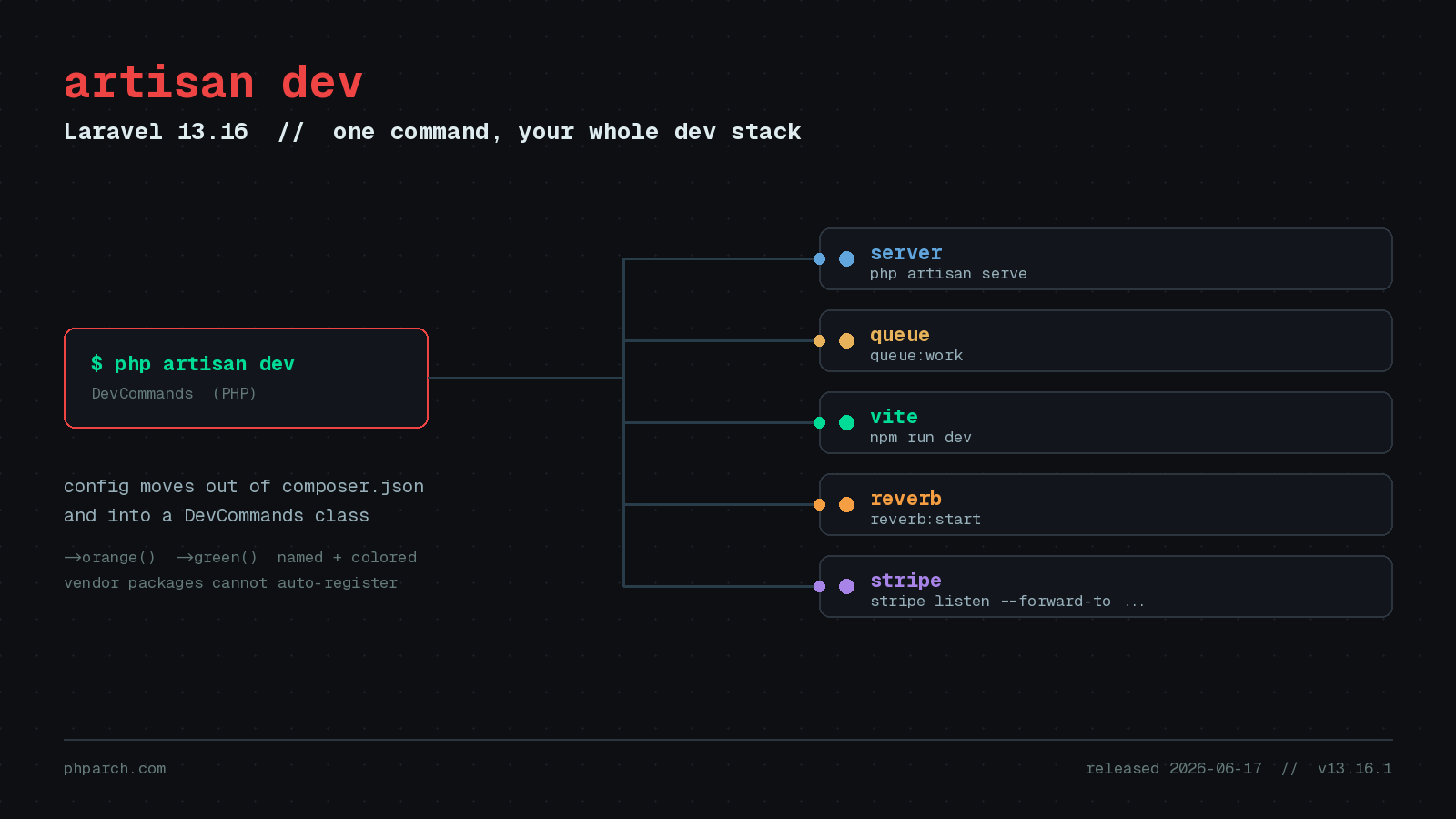
If you have created a Laravel app in the last couple of years, you have probably run composer dev without ever thinking hard about what it does. It boots the PHP development server, a queue worker, the log tailer, and Vite all at once, so a single command gives you a working local environment. It is one of those quality-of-life touches that you stop noticing precisely because it works. Laravel 13.16.0, released on June 17, 2026, takes that convenience and promotes it into the framework proper with a new php artisan dev command.
On the surface this looks like a rename. Run php artisan dev and, out of the box, it behaves just like the composer dev script you already have. The important difference is where the configuration lives. Instead of a JSON array wedged into your composer.json scripts block, your development processes are now defined in PHP, through a dedicated DevCommands class. That change sounds small, and for a fresh app it barely registers, but it opens up a much nicer story for teams whose local stack has grown beyond the defaults.
Why composer.json was the wrong home
The composer dev approach worked, but it always felt like it was living in the wrong file. Composer scripts are strings inside JSON. You cannot use conditionals, you cannot pull a value from your config, and you certainly cannot comment a line out cleanly. If your project needed Reverb running for websockets, a Stripe CLI listener for webhooks, and maybe a Horizon dashboard, you ended up hand editing a long, brittle, comma-delimited string and hoping you counted the concurrently arguments correctly.
Moving this into PHP means your dev process list becomes real code that lives alongside the rest of your application. You register commands from a service provider, which is a place Laravel developers already understand, and you get the full language to work with while you do it.
How DevCommands works
The configuration entry point is the Illuminate\Foundation\Console\DevCommands class. You call it from a service provider, typically the boot method of AppServiceProvider, and you add either Artisan commands or arbitrary shell commands to the set that artisan dev will run.
use Illuminate\Foundation\Console\DevCommands;

// Register an Artisan command
DevCommands::artisan('reverb:start');

// Register an arbitrary shell command
DevCommands::register('stripe listen --forward-to ' . config('app.url'));
The two methods cover the two things you actually run during development. DevCommands::artisan() takes an Artisan command name, so anything you would normally invoke through php artisan fits here. DevCommands::register() takes a raw shell command, which is where third-party CLI tools like the Stripe listener belong. Notice that second example: because this is PHP, you can interpolate config('app.url') directly into the command string. That was simply not possible in a Composer script.
Each process gets a name so the multiplexed output stays readable. By default the name is the first segment of the command before the first space, so reverb:start shows up as reverb:start. You can override it with an optional second argument, and you can assign a color per process so each stream is easy to pick out in a busy terminal.
DevCommands::artisan('reverb:start', 'reverb')->orange();

DevCommands::register('stripe listen --forward-to ' . config('app.url'))->green();
Here the Reverb process is labelled reverb and printed in orange, while the Stripe listener prints in green. When you have four or five processes interleaving their logs, those colors do a lot of quiet work.
The vendor guardrail
There is a sensible bit of defensive design worth calling out. DevCommands deliberately prevents packages inside your vendor directory from registering their own dev commands automatically. Imagine installing a package and suddenly having a mystery process spawn every time you run artisan dev. That is exactly the kind of surprise the framework is avoiding.
A package can still make it easy for you to opt in. It can expose a helper that you call from your own code, so the decision to run that process stays in your hands rather than being imposed by a dependency. This keeps the command predictable, which matters a great deal for something you run dozens of times a day.
The Node package manager helper
The pull request that introduced all this, #60412, also shipped a small helper called NodePackageManager. It inspects your project for lockfiles and figures out which JavaScript package manager you are actually using, whether that is npm, yarn, pnpm, or bun. The payoff is that a generic front-end command can resolve to the correct runner without you hard coding it.
If your team is split between people who use pnpm and people who use bun, this removes one more source of “works on my machine” friction. The dev command runs the right tool based on the lockfile that is present, not the tool whoever wrote the script happened to prefer.
A worthwhile upgrade note
If you go to adopt this, upgrade to v13.16.1 rather than stopping at 13.16.0. The initial release had a bug in the registration of the artisan dev command that the point release fixes. It is a one-line change to your composer.json constraint in practice, but it saves you from chasing a problem that has already been solved upstream.
Should you bother?
For a brand new project, honestly, you can keep using composer dev and never feel a thing. The interesting case is the mature application at a shop like PHP Architect, where the local environment has accreted extra services over time: a websocket server, a webhook tunnel, a search indexer, a mail catcher. That is where defining your processes in PHP, naming them, coloring them, and pulling values from config turns a fragile JSON string into something you can actually read and maintain.
The broader pattern is one Laravel keeps returning to. Take a convention that already exists, in this case the composer dev script, and give it a proper home inside the framework where the full language and the rest of your application are within reach. The artisan dev command will not change how you write features, but it makes the first command you type every morning a little more pleasant, and there is real value in that.