Filament Tables Without Eloquent: The records() Method for Arrays and APIs
Filament's records() method builds tables from arrays or a REST API instead of Eloquent. Here is how to wire up columns, sorting, search, and paging.
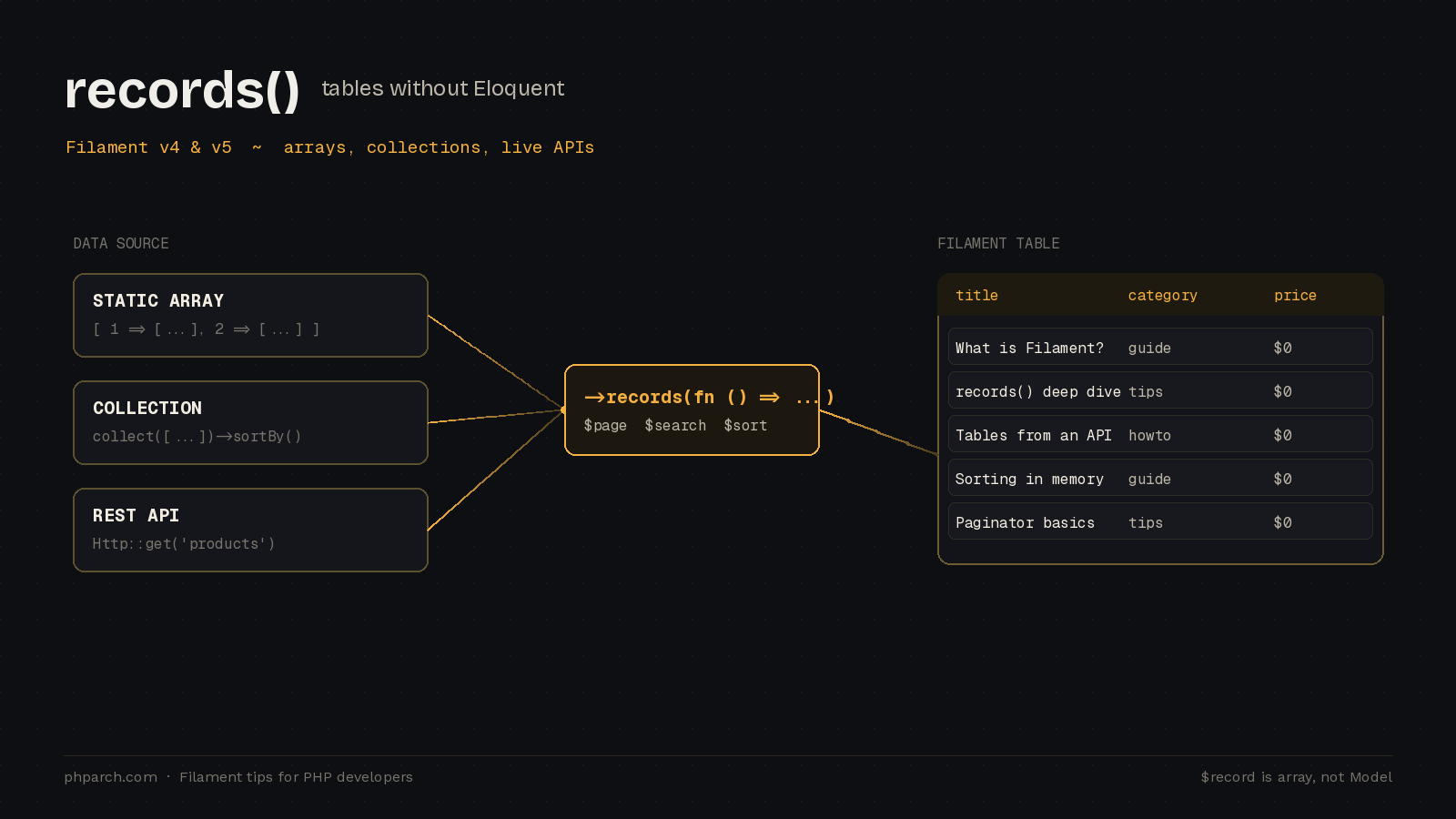
Filament’s table builder was designed around Eloquent. Every row is a model, every column maps to an attribute or relationship, and sorting, searching, filtering, and pagination all lower to SQL underneath. That works beautifully right up until the moment your data does not live in a database you can reach through Eloquent. Maybe it comes from a third-party REST API. Maybe it is a computed report, a cache, or a legacy system you talk to over HTTP. For years the honest answer was that you fought the framework or built the table by hand.
That changed with the records() method. Introduced in Filament v4 and carried straight into v5, it lets you feed a table an array or a collection instead of a model query. If you have been putting off adopting Filament for a screen because the data was not Eloquent-shaped, this is the feature that removes the excuse.
A quick note on versions
Filament v5 shipped as stable on January 16, 2026. If you skimmed the changelog and came away confused, you are not alone: the major bump exists almost entirely to support Livewire v4, and there are no functional changes between v4 and v5 beyond that. The team is releasing new features to both major versions in parallel, so everything in this post applies whether you are on v4 or v5. The upgrade itself is low risk precisely because so little changed in Filament’s own surface area.
The simplest possible case: a static array
You pass a function to records() that returns an array. Filament renders whatever you give it. The columns no longer reference model attributes; they reference keys in each row’s array.
use Filament\Tables\Columns\IconColumn;
use Filament\Tables\Columns\TextColumn;
use Filament\Tables\Table;

public function table(Table $table): Table
{
    return $table
        ->records(fn (): array => [
            1 => ['title' => 'What is Filament?', 'slug' => 'what-is-filament', 'is_featured' => true],
            2 => ['title' => 'Top 5 Filament Features', 'slug' => 'top-5-features', 'is_featured' => false],
            3 => ['title' => 'Writing a Filament Plugin', 'slug' => 'writing-a-plugin', 'is_featured' => true],
        ])
        ->columns([
            TextColumn::make('title'),
            TextColumn::make('slug'),
            IconColumn::make('is_featured')->boolean(),
        ]);
}
There is one detail here that bites people, so it is worth calling out. The array keys (the 1, 2, 3 above) are the record IDs. Filament uses them for diffing and state tracking across Livewire updates, so they need to be unique and stable. If you regenerate keys on every render, you will get subtle bugs where the wrong row appears selected or an action fires against the wrong item. Treat those keys the way you would treat a primary key.
When you write a column callback, the $record is an array, not a Model. That is the mental shift for the whole feature:
use Filament\Tables\Columns\TextColumn;

TextColumn::make('is_featured')
    ->state(fn (array $record): string => $record['is_featured'] ? 'Featured' : 'Standard');
Sorting, searching, and filtering are yours now
Here is the trade you are making. Because there is no SQL engine behind the table, Filament cannot sort or search for you. Instead, it hands you the current UI state and expects you to apply it. This is done through arguments that Filament injects into your records() closure by name.
For sorting, ask for $sortColumn and $sortDirection. Both are null when nothing is sorted. Returning a collection rather than a raw array makes the logic pleasant, though it is not required:
use Illuminate\Support\Collection;

->records(fn (?string $sortColumn, ?string $sortDirection): Collection => collect([
        1 => ['title' => 'First article'],
        2 => ['title' => 'Second article'],
        3 => ['title' => 'Third article'],
    ])->when(
        filled($sortColumn),
        fn (Collection $data): Collection => $data->sortBy(
            $sortColumn,
            SORT_REGULAR,
            $sortDirection === 'desc',
        ),
    ))
->columns([
    TextColumn::make('title')->sortable(),
])
Searching follows the same shape. Inject $search, call searchable() on the table, and filter the collection yourself:
use Illuminate\Support\Str;

->records(fn (?string $search): Collection => collect($this->articles())
    ->when(
        filled($search),
        fn (Collection $data): Collection => $data->filter(
            fn (array $record): bool => str_contains(
                Str::lower($record['title']),
                Str::lower($search),
            ),
        ),
    ))
->searchable()
Filters work identically. Inject $filters and you receive an array keyed by filter name with the form values as data. The Filament documentation is candid about why it works this way: in most real cases it is better to push sorting, searching, and filtering down to the source that actually holds the data, whether that is a custom query or an API endpoint, rather than pulling everything into PHP first and processing it in memory.
Pagination and pulling from a live API
For pagination, Filament injects $page and $recordsPerPage and expects a LengthAwarePaginator back. The key part is the total, since Filament cannot count rows it never queried:
use Illuminate\Pagination\LengthAwarePaginator;

->records(function (int $page, int $recordsPerPage): LengthAwarePaginator {
    $records = collect($this->allArticles())->forPage($page, $recordsPerPage);

    return new LengthAwarePaginator(
        $records,
        total: 30,
        perPage: $recordsPerPage,
        currentPage: $page,
    );
})
Put the pieces together and a table backed by a REST API is only a few lines. This example pulls a product catalog over HTTP, the sort of thing you might do to surface an external inventory feed inside a PHP Architect admin panel:
use Filament\Tables\Columns\TextColumn;
use Illuminate\Support\Facades\Http;

public function table(Table $table): Table
{
    return $table
        ->records(fn (): array => Http::baseUrl('https://api.example.com')
            ->get('products')
            ->collect()
            ->get('products', []))
        ->columns([
            TextColumn::make('title'),
            TextColumn::make('category'),
            TextColumn::make('price')->money(),
        ]);
}
The collect() call turns the JSON response into a Laravel collection, and get('products', []) safely returns an empty array if the key is missing. The Filament docs are careful to flag that this is a demonstration: authentication, error handling, rate limiting, and caching are your responsibility once real endpoints are involved. In practice you would almost certainly cache the response and translate the API’s paging parameters into Filament’s $page and $recordsPerPage rather than fetching everything on each render.
When to reach for it
The records() method is not a replacement for Eloquent-backed tables, and you should not treat it as one. If your data is in your database, keep letting SQL do the heavy lifting. Where this shines is the awkward middle ground: dashboards over a microservice, read-only views of a third-party system, or reports assembled from several sources. You get Filament’s columns, actions, filters, and layout for free while keeping full control over where the rows come from. That is a genuinely useful place to land, and it is one fewer reason to hand-roll a table.