Build a Drag-and-Drop Board in Livewire 4 with wire:sort and wire:transition
Build a drag-and-drop task board in Livewire 4 with wire:sort and wire:transition, including how to persist the order and what browsers support.
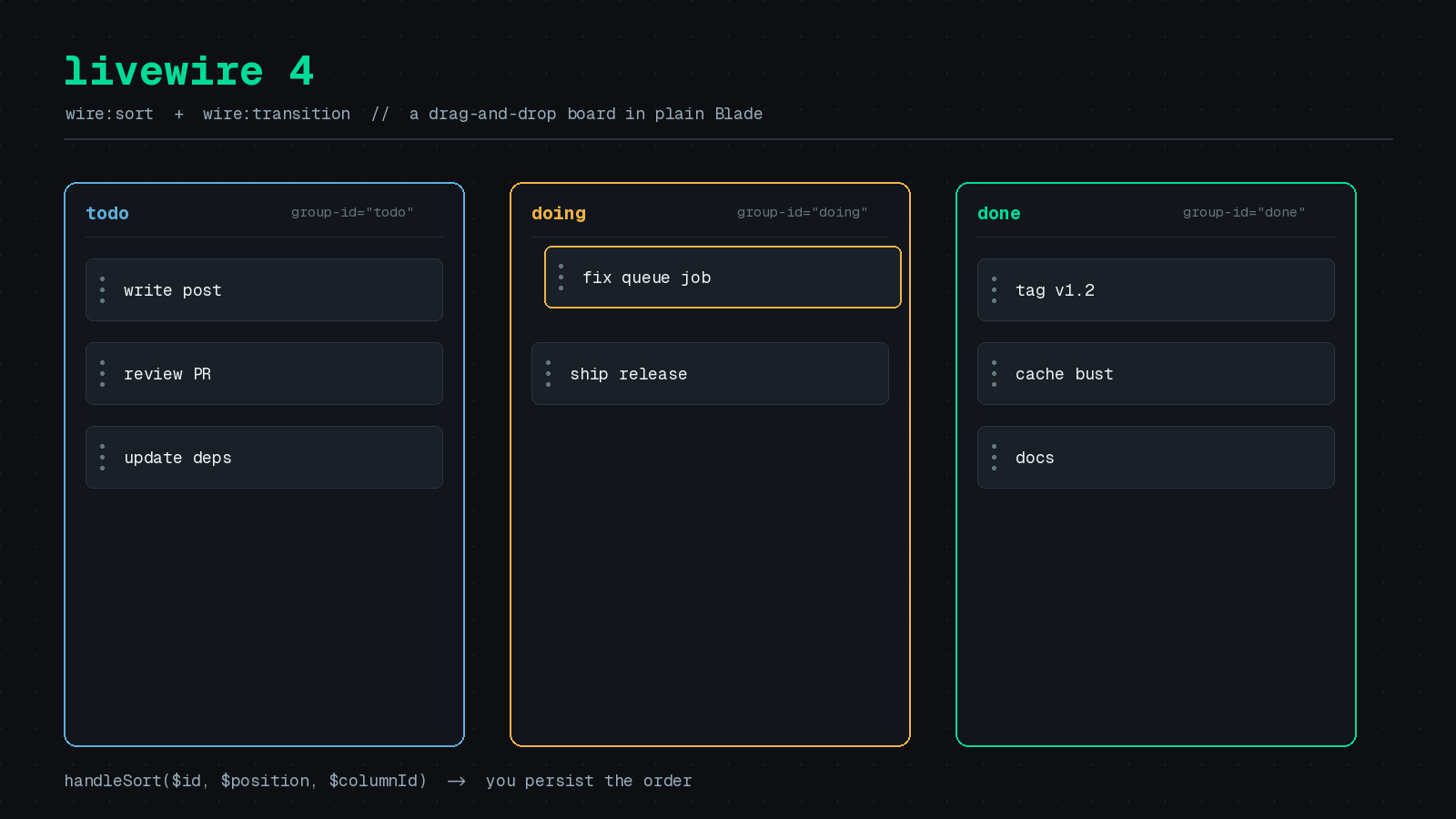
Drag-and-drop lists used to mean pulling in a JavaScript sorting library, wiring it to Livewire events, and hoping the DOM morphing did not fight with the library’s own DOM changes. Livewire 4 ships two directives that remove most of that work: wire:sort for drag-and-drop reordering and wire:transition for animations built on the browser’s native View Transitions API.
In this post we will build a small task board for the PHP Architect editorial calendar, with cards that move between columns, and look at where you still have to write code yourself. All directive behavior below comes from the official Livewire 4 docs, linked in the sources. The persistence code is my own sketch, and I have not run it in a production app, so test it before you ship it.
What wire:sort does and does not do
The wire:sort docs describe the model in two sentences. Put wire:sort on a parent element with a handler method name, and put wire:sort:item on each child with a unique identifier. When a user drops an item, Livewire calls your handler with the item’s identifier and its new zero-based position.
The important line is this one from the docs: you are responsible for persisting the new order in your database. Livewire handles the dragging, the animation, and the round trip. It does not touch your models.
A single sortable list looks like this:
<?php

use Livewire\Component;

new class extends Component {
    public TodoList $list;

    public function handleSort($id, $position)
    {
        $task = $this->list->tasks()->findOrFail($id);

        // Update the task's position and re-order other tasks...
    }
};<ul wire:sort="handleSort">
@foreach ($list->tasks as $task)
<li wire:key="{{ $task->id }}" wire:sort:item="{{ $task->id }}">
{{ $task->title }}
</li>
@endforeach
</ul>Note that each item keeps its wire:key. Livewire’s morphing still needs it to track elements in a loop, and wire:sort:item is a separate concern.
Sorting across columns
A board needs cards to move between lists. For that, give every container the same wire:sort:group name and give each one a wire:sort:group-id so your handler knows where the card landed. The group id arrives as the third argument.
<?php

use App\Models\Board;
use Livewire\Attributes\Computed;
use Livewire\Component;

new class extends Component {
    public Board $board;

    #[Computed]
    public function columns()
    {
        return $this->board->columns()->with('cards')->get();
    }

    public function handleSort($id, $position, $columnId)
    {
        // Persist the move. See the next section.
    }
};<div class="grid grid-cols-3 gap-6">
@foreach ($this->columns as $column)
<ul wire:sort="handleSort"
wire:sort:group="cards"
wire:sort:group-id="{{ $column->id }}">
@foreach ($column->cards as $card)
<li wire:key="{{ $card->id }}" wire:sort:item="{{ $card->id }}">
{{ $card->title }}
</li>
@endforeach
</ul>
@endforeach
</div>One detail from the docs is easy to miss: when an item is dragged to a different group, only the destination group’s handler fires. That means a single method on your component can treat every drop as “put card X at position N in column Y,” and you never have to reconcile a separate “removed from” event.
Persisting the order
Here is one way to write the handler. It assumes a cards table with column_id and an integer position column. Wrapping the work in a transaction keeps a half-finished reorder from leaving gaps.
use App\Models\Card;
use Illuminate\Support\Facades\DB;

public function handleSort($id, $position, $columnId)
{
    $card = $this->board->cards()->findOrFail($id);
    $column = $this->board->columns()->findOrFail($columnId);

    DB::transaction(function () use ($card, $column, $position) {
        $oldColumnId = $card->column_id;

        // Current order of the destination column, minus the moved card.
        $ids = $column->cards()
            ->where('id', '!=', $card->id)
            ->orderBy('position')
            ->pluck('id')
            ->all();

        // Insert the moved card at the requested zero-based index.
        array_splice($ids, $position, 0, [$card->id]);

        foreach ($ids as $index => $cardId) {
            Card::whereKey($cardId)->update([
                'column_id' => $column->id,
                'position' => $index,
            ]);
        }

        // Close the gap left behind when the card changed columns.
        if ($oldColumnId !== $column->id) {
            $this->board->columns()->findOrFail($oldColumnId)
                ->cards()->orderBy('position')->pluck('id')
                ->each(fn ($cardId, $index) => Card::whereKey($cardId)->update(['position' => $index]));
        }
    });

    unset($this->columns);
}
Two choices here are worth defending. First, scoping the lookups through $this->board means a user cannot send a crafted request that moves a card from someone else’s board. The $id and $columnId arguments come from the browser, so treat them like any other request input. Second, the final unset($this->columns) clears the cached computed property so the re-render reads the rows you just changed, rather than a value computed earlier in the same request.
This approach rewrites every card in the destination column on each drop. For a board with a few dozen cards per column that is fine. If you have thousands of rows per list, look at fractional positions or gap-based ordering instead.
Handles and ignored regions
By default the whole item is draggable. That gets awkward when a card contains buttons or links. Two small directives fix it, both documented on the same page:
<li wire:key="{{ $card->id }}" wire:sort:item="{{ $card->id }}">
    <div wire:sort:handle>
        <x-icons.grip />
    </div>

    {{ $card->title }}

    <div wire:sort:ignore>
        <button type="button" wire:click="edit({{ $card->id }})">Edit</button>
    </div>
</li>
wire:sort:handle restricts dragging to that element. wire:sort:ignore marks areas that should not start a drag, which keeps your buttons clickable.
Adding wire:transition
Reordering is more pleasant with some motion. According to the wire:transition docs, the directive animates elements that appear, disappear, or change during a Livewire update, using the browser’s native View Transitions API. The docs note that these transitions are hardware-accelerated and handled by the browser rather than by a JavaScript animation library.
The basic case is a one-word addition. Here is a toggle that shows card comments:
<button wire:click="$toggle('showComments')">Toggle comments</button>

@if ($showComments)
    <div wire:transition>
        @foreach ($card->comments as $comment)
            <div>{{ $comment->body }}</div>
        @endforeach
    </div>
@endif
For finer control, give the element a name. The docs say Livewire sets the element’s view-transition-name to that value, which you can then target in CSS:
<aside wire:transition="sidebar">...</aside>::view-transition-old(sidebar) {
animation: 300ms ease-out both slide-out;
}
::view-transition-new(sidebar) {
animation: 300ms ease-in both slide-in;
}
@keyframes slide-out {
to { transform: translateX(-100%); }
}
@keyframes slide-in {
from { transform: translateX(100%); }
}If your component is a multi-step flow, the docs also describe transition types. Calling $this->transition(type: 'forward') or 'backward' lets you animate each direction differently through the :active-view-transition-type() CSS selector. There is a #[Transition] attribute for methods that always go one way, and $this->skipTransition() for cases like a reset button that should jump with no animation.
Browser support and accessibility
This is where I would slow down before relying on it. The docs list View Transitions as supported in Chrome 111+, Edge 111+, and Safari 18+. Firefox 144+ supports basic view transitions but not transition types. In a browser without support, elements simply appear and disappear without animation, so the feature degrades without breaking.
Livewire also respects the user’s prefers-reduced-motion setting and disables transitions when it is enabled. You get that behavior without writing any extra code.
Where this fits
For a board, a playlist order, a checklist, or a form builder, wire:sort covers the common case with very little code, and you stay in Blade and PHP. If you need nested trees, multi-select dragging, or custom drop indicators, a dedicated library with Alpine may still be the better tool. The wire:sort reference lists only six attributes (wire:sort, :item, :group, :group-id, :handle, and :ignore), and it has no modifiers, so there is not much to configure.
If you are upgrading from Livewire 3, check the official upgrade guide first. In v3, wire:transition wrapped Alpine’s x-transition. In v4 it uses the View Transitions API and all modifiers were removed, so any .opacity, .scale, or .duration modifiers in your templates will need a rewrite.