PHP2Shell Patch Checklist: Fix CVE-2026-109618 and CVE-2026-109619
PHP 8.5.12, 8.4.27, 8.3.36 and 8.2.35 fix two critical RCE bugs. Use this checklist to patch, restart workers, and verify FPM, Docker, and queues.
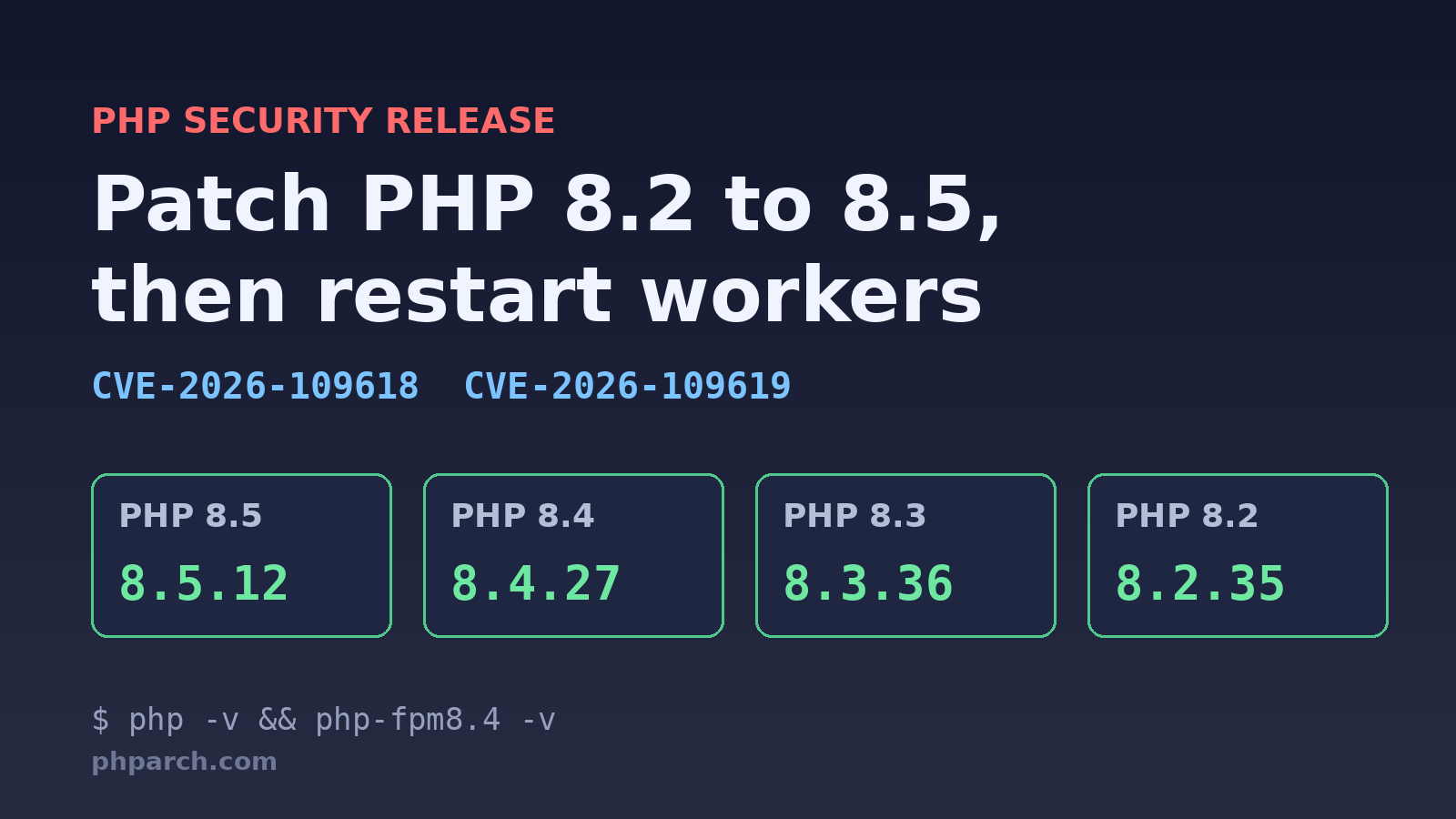
If you run PHP on a server, you have homework this weekend. On October 21, 2026, the PHP team shipped emergency releases to fix two critical vulnerabilities, CVE-2026-109618 and CVE-2026-109619, nicknamed PHP2Shell. Both are rated 9.2 under CVSS v4.0, and both can allow unauthenticated remote code execution.
This post is a practical checklist: what is affected, what to upgrade to, and the step people forget, which is restarting everything that is not PHP-FPM.
What was fixed
According to Help Net Security’s coverage, the two bugs work like this:
- CVE-2026-109618 is remote code execution via out-of-memory corruption. Out-of-memory handling can interrupt PHP while internal request data is only partially initialized, and request cleanup may then treat that invalid data as valid.
- CVE-2026-109619 is remote code execution via stale global state. Request-owned internal state can survive after its backing memory has been freed, and a later request handled by the same worker may use that stale state before normal initialization resets it.
The PHP 8.6.0 RC4 changelog on PHP.Watch lists the core fix as “Avoid state corruption via bailout” and links both GitHub advisories. So the fix is in the 8.6 line too, which matters if you are testing the release candidates.
Two details from the reporting are worth repeating. Every PHP installation that serves web requests is affected, including PHP-FPM, Apache with mod_php, php-cgi, FrankenPHP, and LiteSpeed, and mod_php setups face the greatest danger. And according to Amazon Threat Intelligence, its honeypot network recorded an exploitation attempt on October 17, four days before public disclosure.
Which versions to install
The fixed releases are:
| Branch | Fixed version |
|---|---|
| PHP 8.5 | 8.5.12 |
| PHP 8.4 | 8.4.27 |
| PHP 8.3 | 8.3.36 |
| PHP 8.2 | 8.2.35 |
AWS’s security bulletin lists the affected ranges as everything from x.0 up to the version before each fix, for example 8.5.0 through 8.5.11. It also states that PHP 5.4 through 8.1 have no upstream fix because they are end of life.
If you are stuck on an old branch, there is a stopgap. The Help Net Security article says the PHP security team released minimal source backports for 7.4, 8.0, and 8.1 for people who build from source. The Laravel Forge advisory adds that Ondřej Surý backported the fixes to older versions as new package revisions, such as 8.1.34-9 for PHP 8.1. Forge is blunt that these are a stopgap, and so am I. Use this weekend to plan the upgrade.
AWS is also clear that upgrading is the only complete fix. Configuration changes may reduce impact, but none is a full mitigation.
Step 1: Check what you are actually running
Do not assume. Check the CLI and FPM binaries separately, because they can come from different packages:
php -v
php-fpm8.4 -v

# Debian/Ubuntu: list installed PHP packages with their revisions
dpkg -l 'php8.4*' | awk '/^ii/ {print $2, $3}'
For PHP 8.1 and earlier on Ondřej Surý’s packages, the version number does not change after the backport, so you have to check the package revision, as the Forge advisory explains.
Step 2: Upgrade
On a Debian or Ubuntu server using the Surý packages, the Forge advisory suggests refreshing package lists, confirming the candidate version, then upgrading only the packages you already have:
sudo apt-get update
apt-cache policy php8.4-fpm

sudo apt-get install --only-upgrade -y \
  -o Dpkg::Options::="--force-confold" \
  $(dpkg -l 'php8.4*' | awk '/^ii/ {print $2}')
The Candidate line from apt-cache policy should show the fixed version. If it does not, the patched package has not reached your repository yet. Wait and retry.
Repeat for every installed PHP version, including the ones your sites do not currently use. Two other notes from the sources:
- Laravel Forge’s automatic security updates do not patch PHP, because Forge installs PHP from a dedicated package repository. You have to update PHP on each server yourself, from the dashboard or over SSH.
- If you use the volunteer-run
rpms.remirepo.netrepository, Help Net Security reports it would not have updates available on release day, and suggests distribution packages or a source build in the meantime. Check its current status before relying on it.
For containers, rebuild your images with a fresh base pull so you pick up the patched PHP, then redeploy. On AWS Lambda, there is no managed PHP runtime, so custom runtimes and container images are your responsibility. AWS says Bref published a security release with updated layers and images.
Step 3: Restart everything that is long-running
A package upgrade restarts PHP-FPM. It does not restart a queue worker that has been running for nine days. Those processes keep executing the old binary in memory until you restart them. The Forge advisory calls this out for queue workers, Horizon, Octane, and Reverb.
In a Laravel app, that looks like this:
php artisan queue:restart
php artisan horizon:terminate
php artisan octane:reload
Reverb, custom daemons, and anything else started from the CLI need the same treatment, usually through Supervisor or systemd. Also remember that CVE-2026-109619 is about state surviving across requests in a worker, which is exactly the kind of process that lives for a long time.
Step 4: Verify from inside the app
php -v in your shell proves the CLI binary. It does not prove what your web workers run. A small guard in your own code catches the gap. This version compares against the minimum patched version for each branch:
<?php

declare(strict_types=1);

final class PatchGuard
{
    private const MINIMUMS = [
        '8.5' => '8.5.12',
        '8.4' => '8.4.27',
        '8.3' => '8.3.36',
        '8.2' => '8.2.35',
    ];

    public static function isPatched(string $version = PHP_VERSION): bool
    {
        $branch = PHP_MAJOR_VERSION . '.' . PHP_MINOR_VERSION;

        if (!isset(self::MINIMUMS[$branch])) {
            // 8.1 and older: no upstream fix. Backported distro builds
            // keep the same version string, so this check cannot vouch for them.
            return version_compare($version, '8.6.0', '>=');
        }

        return version_compare($version, self::MINIMUMS[$branch], '>=');
    }
}

echo PatchGuard::isPatched()
    ? "PHP Architect check: patched\n"
    : "PHP Architect check: UPDATE NOW\n";
Wire this into a health check, or run it through a one-off request to each web server and each queue host. One caveat: an 8.6 release candidate passes this check, but release candidates are not for production. PHP.Watch notes that 8.6 is a development branch scheduled for general availability on November 19, 2026.
What else is available
You can add layers while patching rolls out, but treat them as buying time:
- Help Net Security reports that Cloudflare deployed WAF rules for the known exploit vectors, available to all customers including the free tier. AWS says its AWS WAF PHP Managed Rule Group is being updated for both CVEs.
- Searchlight Cyber released an open-source scanner,
php2shell-scanner, that tests whether a host is exposed. - The UK’s NCSC urged organizations to consider taking offline any system that cannot be fixed right away, per Help Net Security.
A quick weekend plan
If you want the short version for your team, here it is. Inventory every host and container that runs PHP. Upgrade each to the fixed version for its branch, or schedule a move off 8.1 and earlier. Restart workers, Horizon, Octane, and any other CLI daemons. Verify with both php -v and an in-app check. Then put a note in your runbook that PHP patching is its own job, separate from OS updates.
This is also a good moment to look at your release process. If patching PHP takes your team longer than a day, the bottleneck is the process, not the patch.
Sources:
- PHP2Shell: Critical PHP vulnerabilities patched, update now! (Help Net Security)
- PHP security advisory (CVE-2026-109618, CVE-2026-109619) (Laravel Forge docs)
- PHP web runtimes (CVE-2026-109618 and CVE-2026-109619), Bulletin 2026-143-AWS (AWS)
- PHP 8.6.0RC4 release information and changelog (PHP.Watch)
- PHP 8.6 releases (PHP.Watch)