PHP 8.6 Debugging Wins: JSON Error Locations and error_include_args
PHP 8.6 adds line and column to JSON decode errors and an INI switch that shows function arguments in warnings. Examples, caveats, and logging tips.
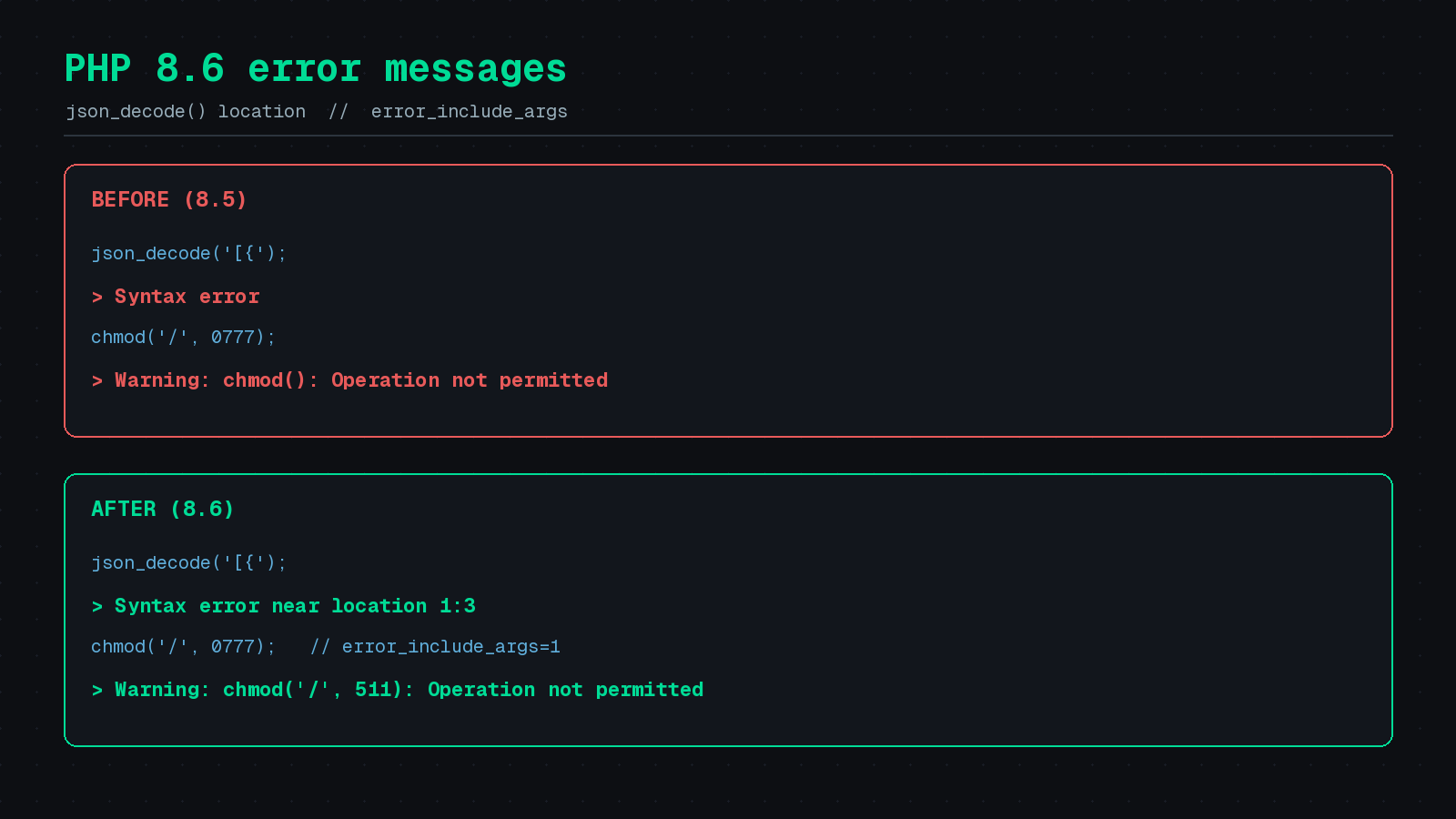
PHP 8.6 shipped on November 19, 2026. Most of the coverage goes to partial function application, clamp(), and the new Time\Duration class. Two smaller changes will probably save you more time over the next year, though, because they make production errors easier to read: JSON decode errors now tell you where parsing failed, and a new INI setting adds function arguments to warnings.
Neither one needs a code change to start working. Both have a few catches worth knowing before you upgrade.
JSON errors now include a line and column
Until 8.6, a failed json_decode() gave you a message like Syntax error and nothing else. If a webhook payload was 40 KB, you opened it in an editor and went hunting.
Starting in 8.6, json_last_error_msg() and the message of a JsonException include the location of the failure. This example comes from PHP.Watch’s write-up of the change:
$json = '[{';

json_decode($json);
echo json_last_error_msg();
Syntax error near location 1:3The same location shows up when you use the flag most of us already prefer:
try {
    json_decode($json, flags: JSON_THROW_ON_ERROR);
} catch (\JsonException $e) {
    echo $e->getMessage(); // "Syntax error near location 1:3"
}
PHP.Watch lists a few more messages that show the location is appended to each error type, not just syntax errors:
Control character error, possibly incorrectly encoded near location 3:12
State mismatch (invalid or malformed JSON) near location 1:82
Maximum stack depth exceeded near location 1:6
Malformed UTF-8 characters, possibly incorrectly encoded near location 1:1
The format is line:column. Judging by the [{ example, where the string is two characters long and the reported column is 3, the column points at the position where the parser gave up, which can be just past the last character. Treat it as a pointer to where to start looking, not as the exact bad character.
Backward compatibility
PHP.Watch notes that json_last_error() still returns the same error codes in every PHP version, so code that branches on JSON_ERROR_SYNTAX and friends keeps working. The part I would check is anything that compares the message string. A test that asserts 'Syntax error' exactly will fail on 8.6 because the message now has a suffix. That is my reading of the change, so grep your test suite for json_last_error_msg and for JsonException message assertions before you bump your CI image.
The feature also cannot be backported. PHP.Watch points out that PHP does not expose the lower-level parser, so you cannot get locations on 8.5 with a userland polyfill.
A small helper that makes the location useful
A line and column is only half the story when the payload is in a log file and not in front of you. This helper pulls the location out of the message and returns the offending line, so your log entry shows context:
function jsonErrorContext(string $json, string $message): ?string
{
    if (! preg_match('/near location (\d+):(\d+)/', $message, $m)) {
        return null;
    }

    [$line, $column] = [(int) $m[1], (int) $m[2]];
    $lines = explode("\n", $json);
    $text = $lines[$line - 1] ?? '';

    return sprintf(
        "line %d, column %d: %s",
        $line,
        $column,
        mb_strimwidth($text, max(0, $column - 40), 80, '...'),
    );
}
Use it where you decode third-party input, for example a PHPTek.tv webhook handler:
try {
    $payload = json_decode($body, true, flags: JSON_THROW_ON_ERROR);
} catch (\JsonException $e) {
    $logger->warning('Bad webhook body', [
        'error' => $e->getMessage(),
        'context' => jsonErrorContext($body, $e->getMessage()),
    ]);

    return new Response('Invalid JSON', 400);
}
I wrote this helper for the post and have not run it against an 8.6 build, so test the column math against a few malformed payloads of your own. Also remember that logging request bodies can capture personal data. Log a trimmed slice, as above, and not the whole body.
One more thing. A SensioLabs post describes a json_last_error_pos() function that returns a numeric offset. I could not confirm that function in PHP.Watch’s write-up or in the release coverage I read, so I would not rely on it until you see it in the official manual.
error_include_args: arguments in warnings
The second change is a new INI directive, error_include_args, from the “Display Function Arguments in Errors” RFC. It controls whether the warnings raised by built-in functions include the arguments the function received. The Laravel News overview of PHP 8.6 shows the difference:
Warning: chmod(): Operation not permitted in /app/chmod.php on line 5

Warning: chmod('/', 511): Operation not permitted in /app/chmod.php on line 5
The second line is with error_include_args=1. You now see which path and mode caused the failure without adding a var_dump() and reproducing the problem.
According to PHP.Watch’s INI reference, the directive is INI_ALL, so you can set it in php.ini, with ini_set(), or in a per-directory file, and the default is off in development and in production. To try it locally:
; php.ini (development only)
error_include_args = 1
Or per script while you chase a bug:
ini_set('error_include_args', '1');

file_put_contents('/var/log/app/report.csv', $rows);
Sensitive data
Arguments are exactly where secrets and personal data tend to live: file paths with usernames, tokens passed to a function, email addresses. Laravel News says the setting uses the same formatting as exception stack traces, so parameters marked with #[\SensitiveParameter] are hidden and long strings are cut at the zend.exception_string_param_max_len limit. That helps for your own functions, but it does not cover every built-in call, so I would keep this setting off in production unless your logs are locked down. If you do enable it, check what ends up in your error tracker first.
Frameworks such as Laravel turn PHP warnings into exceptions, so the extra detail will probably appear in those exception messages and in whatever service receives them. I have not tested this, so verify it in your own stack.
Other 8.6 changes worth a look
If you are planning the upgrade, the Laravel News PHP 8.6 overview lists the backward-incompatible changes. Two stand out for application code. trim(), ltrim(), and rtrim() now strip form feed characters by default, and fclose(), file_put_contents(), and copy() now return false when flushing or closing the stream fails. Failures that used to pass silently can now show up in your logs, which pairs well with the argument display above.
For a deprecation scan, see my earlier posts on the PHP 8.6 deprecations upgrade scanner and testing PHP 8.6 release candidates in Docker and GitHub Actions.
A quick upgrade checklist
Here is what I would do this week:
- Search your tests for exact
json_last_error_msg()andJsonExceptionmessage assertions, and switch them to compare error codes or usestr_contains(). - Add the location to your log context wherever you decode external JSON.
- Turn on
error_include_argsin development and staging, and review the output before deciding about production. - Run your suite on 8.6 and read the UPGRADING file for anything touching the functions listed above.
Neither feature is flashy, but a message that says near location 3:12 instead of Syntax error is the kind of change you notice the first time a customer sends you a broken payload at 4:45 on a Friday.
Sources
- PHP 8.6 is released!, Laravel News, November 19, 2026
- What’s New in PHP 8.6, Laravel News, updated November 19, 2026
- PHP 8.6: json_decode error/exception message now indicates the location of the error, PHP.Watch
- error_include_args INI, PHP.Watch
- RFC: Display Function Arguments in Errors, PHP Wiki
- PHP 8.6: JSON Decode Error Position, SensioLabs, July 16, 2026
- PHP 8.6 UPGRADING file, php-src