NativePHP Mobile v1 Is Here — And It's Free
NativePHP Mobile v1 launched May 2, 2026 as a free, modular platform for building real iOS and Android apps with Laravel.
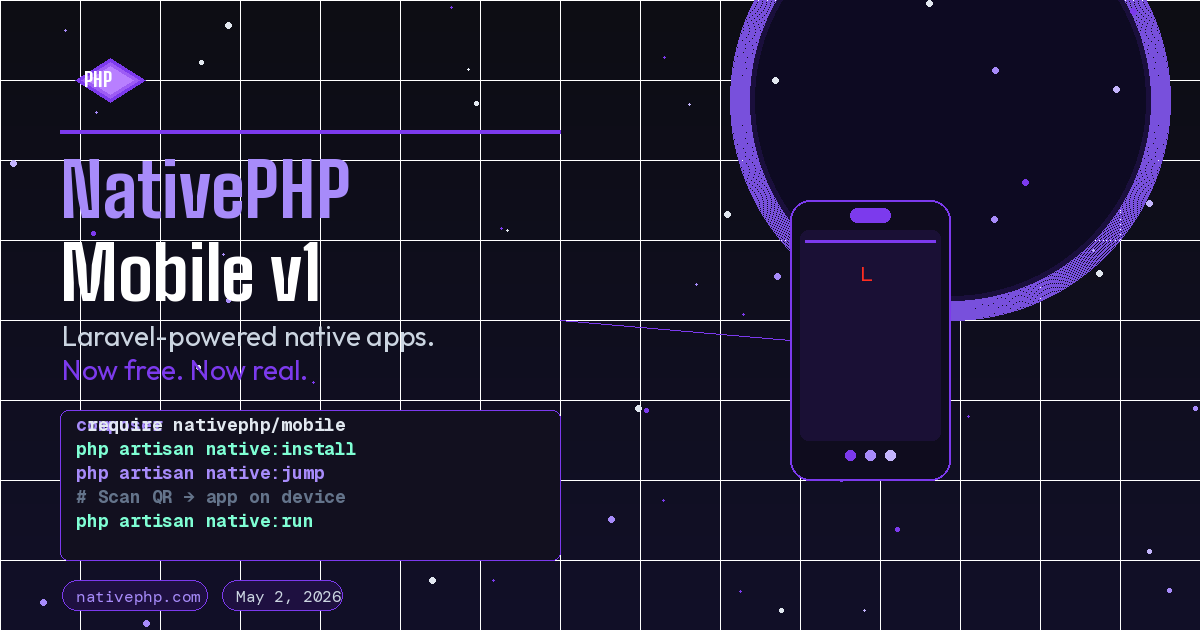
On May 2, 2026, the NativePHP team shipped something that many in the Laravel community had been watching closely: NativePHP Mobile v1, alongside a significant new companion product called NativePHP Air. The announcement came with a pricing model nobody expected — the core framework is completely free. This is a turning point for PHP developers who have wanted a legitimate path into mobile app development without learning Swift, Kotlin, or React Native.
Here is what shipped, what it means in practice, and how to get started.
What Is NativePHP Mobile?
NativePHP Mobile lets you build iOS and Android applications using Laravel. Your application code is PHP — the same models, events, queues, and service container you already know — running inside an embedded PHP runtime on the device. The result is a real native app that can be distributed through the App Store and Google Play.
This is not a web view wrapper dressed up as a native app. The PHP runtime is compiled natively for each platform, and NativePHP provides a bridge between your Laravel application and the device’s native APIs — camera, file system, biometrics, geolocation, push notifications, and more.
NativePHP Air: The New Architecture
The v1 release ships alongside NativePHP Air, which represents a major architectural change from the earlier beta versions. Air moves from a monolithic core to a modular plugin system. Every native capability is now a standalone Composer package containing its own Swift and Kotlin code, permission manifests, and native dependencies. You install only what your app actually needs.
This has a real impact on app size. By pulling out capabilities you are not using, your initial download is meaningfully smaller — and smaller apps see higher conversion rates on both storefronts.
The free plugins available at launch cover the essentials:
- Browser — Open URLs in a native in-app browser
- Camera — Capture photos and video
- Device — Access device identifiers and system info
- Dialog — Native alerts, confirmations, and action sheets
- File — Read and write files on the device
- Microphone — Record audio
- Network — Detect connectivity status
- Share — Trigger the native share sheet
- System — Interact with system-level features
Premium plugins — available as one-time purchases through the NativePHP marketplace — cover Biometrics, Geolocation, Push Notifications (Firebase), Scanner, and Secure Storage. The Starter Kit bundle, which includes all premium plugins, is priced at $199.
Installation
Getting a new NativePHP Mobile project running is straightforward. You start with a standard Laravel application and add the package:
composer require nativephp/mobile
php artisan native:install
The install command handles the scaffolding — generating the native project files for iOS and Android alongside your existing Laravel codebase. Your application lives in one directory; NativePHP wraps it for each platform.
After installation, configure your app identity in config/nativephp.php:
return [
    'app_id' => 'com.yourcompany.yourapp',
    'app_name' => env('APP_NAME', 'My App'),
    'app_version' => '1.0.0',
    'deep_link_scheme' => 'yourapp',
];
Jump: Test on a Real Device Without Compiling
One of the most immediately practical additions in v1 is a free companion app called Jump. The problem Jump solves is real: during development, testing on a physical device normally requires either enabling developer mode or going through a full build-and-install cycle. Neither is fast.
Jump changes that. Run the artisan command, scan a QR code on your phone, and your NativePHP application loads directly onto the device:
php artisan native:jumpJump includes built-in support for all first-party plugins — including the premium ones — so you can test every native feature before purchasing anything. This is a meaningful commitment from the NativePHP team: they want you to be able to evaluate the full platform before spending money on it.
Working With Native Events
NativePHP uses a familiar event-driven model for handling native API responses. When the user takes a photo, taps a share target, or grants a permission, your Laravel application receives a dispatched event that you handle with standard Laravel listeners.
Here is an example using the Camera plugin:
use NativePHP\Mobile\Plugins\Camera\Events\PhotoTaken;

// Trigger the camera
NativeCamera::capture();

// Handle the result
class HandlePhotoTaken
{
    public function handle(PhotoTaken $event): void
    {
        $path = $event->path; // Temporary path on the device
        $mime = $event->mimeType;

        // Store it, process it, upload it — standard Laravel
        Storage::disk('local')->put('photos/' . basename($path), file_get_contents($path));
    }
}
The PhotoTaken event fires with the path to the captured image on the device. From there it is standard Laravel: store it, process it, sync it to an API. The native integration stops at the event boundary; everything else is PHP you already know how to write.
The same pattern applies to the Scanner plugin for QR/barcode reading, the File picker, the Microphone, and others. NativePHP abstracts the native permission prompts, camera access, and platform-specific APIs down to a consistent Laravel event interface.
Mobile v1.1: What Shipped Shortly After
The team followed up the v1 launch with v1.1 just weeks later, which addressed several things that the initial release left open.
The most notable change was a significant reduction in bundle size — PHP libraries on both iOS and Android were reduced by over 50%, with corresponding improvements in app install size. The v1.1 release also expanded the API architecture so that each native domain is its own class rather than methods hanging off a single System object. This restructuring was done in a backwards-compatible way, so existing v1 apps continue to work without changes.
Android 15 support arrived in v1.1 as well, with full edge-to-edge layout support so NativePHP apps render correctly under Android 15’s new default fullscreen behavior.
The documentation was also substantially rebuilt around the v1.1 release, organized into Getting Started, The Basics, Concepts, and APIs sections that reflect how developers actually approach building an app rather than just listing available methods.
The Bigger Picture
For PHP developers who have spent years building web applications, NativePHP Mobile v1 opens a door that previously required learning a second technology stack from scratch. The ability to take an existing Laravel application — models, services, queues, all of it — and extend it into a mobile experience that ships on the App Store and Google Play is a qualitative change, not just a convenience.
It is worth being clear about trade-offs. NativePHP is not the right choice for graphically intensive apps, games, or cases where you need fine-grained control over the native UI layer. What it is genuinely good for is data-driven business applications: internal tools, field service apps, customer portals, companion apps to your existing web platform. These are exactly the kinds of apps Laravel developers are already building for the web.
The free pricing on the core framework also signals something meaningful about the project’s direction. NativePHP is positioning itself as infrastructure for the Laravel ecosystem, not a premium add-on. The business model is built around premium plugins and the Starter Kit bundle — the platform itself stays free. That is a sustainable model, and it removes the barrier that previously made the early betas feel risky to adopt seriously.
Getting Started
NativePHP Mobile is available at nativephp.com. The official documentation covers installation, configuration, and all available plugins in detail. If you have an existing Laravel application and want to see what a mobile extension would look like, the introduction section of the docs is the right place to start.
Install the Jump companion app first — it is the fastest way to feel what NativePHP-powered apps actually feel like on a real device before you commit to a build pipeline.