blink.cmp: The Completion Plugin That Made My PHP NeoVim Setup Feel Instant
blink.cmp is the batteries-included NeoVim completion plugin replacing nvim-cmp. Here is how to wire it up for fast, typo-resistant PHP completion.
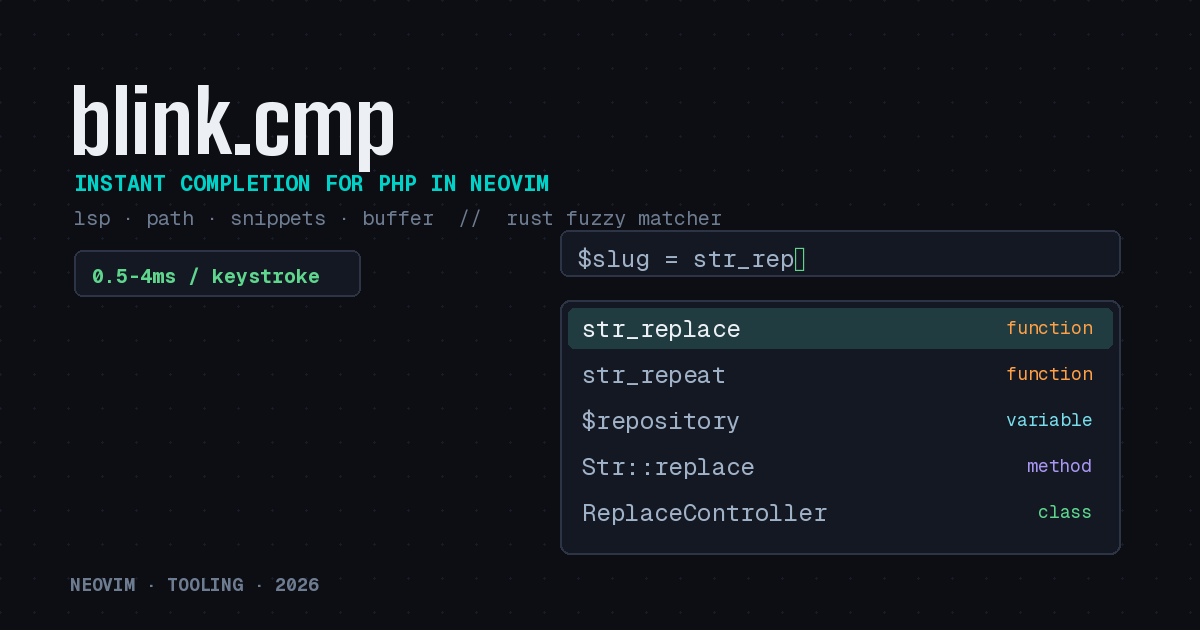
For years, autocompletion in NeoVim meant nvim-cmp plus a small constellation of source plugins, a snippet engine, and a block of glue configuration you copied from someone’s dotfiles and never fully understood. It worked, but it was never something I enjoyed maintaining. Over the past year that picture has changed. A plugin called blink.cmp has quietly become the default completion engine in LazyVim and kickstart.nvim, and after running it on my PHP projects for a while, I understand why. It is fast, it is mostly configuration-free, and it gets out of the way.
This is a practical look at what blink.cmp is, why it matters for PHP work specifically, and how to wire it up with a PHP language server so you get the kind of completion that actually keeps pace with your typing.
Why blink.cmp Instead of nvim-cmp
The headline feature is performance. blink.cmp ships a fuzzy matcher written in Rust (a separate project called frizbee) that runs on every keystroke with roughly 0.5 to 4 milliseconds of overhead on a single core. Compare that to nvim-cmp’s default 60 millisecond debounce, which exists precisely because matching on every keystroke in Lua could introduce noticeable hitches. The practical effect is that the completion menu in blink.cmp updates as fast as you type, with no perceptible lag, even in large codebases where Intelephense is returning hundreds of candidates.
The fuzzy matching is also typo resistant and uses frecency plus proximity bonuses, so the symbols you use most and the ones near your cursor float to the top. For PHP, where you are constantly reaching for long class names and namespaced symbols, that ranking matters more than it sounds.
The second reason is that it is batteries-included. A single plugin gives you LSP completion, path completion, snippets, buffer words, command-line completion, and optional signature help. You are not assembling five source plugins and hoping their versions agree. For people who have spent an afternoon debugging why cmp-buffer stopped showing up, this alone is worth the switch.
A Note on Versions Before You Start
As of June 2026, the stable release is the v1 line, with v1.10.2 being the latest tag from early April. A v2 is under active development and the maintainer explicitly warns it carries many breaking changes, including a new dependency called blink.lib. Unless you enjoy chasing a moving target, pin yourself to v1 for now. With lazy.nvim that means using version = '1.*' or branch = 'v1'. I will use the v1 syntax throughout.
The Minimal PHP Setup
blink.cmp does not provide language intelligence itself. It surfaces completions from whatever language server is attached to the buffer. For PHP that is almost always Intelephense or phpactor. Assuming you already have nvim-lspconfig and mason configured with a PHP server, blink.cmp will pick it up automatically through its LSP source.
Here is a compact lazy.nvim spec that gives you a working, fast PHP completion setup:
{
  'saghen/blink.cmp',
  version = '1.*',
  dependencies = { 'rafamadriz/friendly-snippets' },
  opts = {
    keymap = { preset = 'default' },

    appearance = {
      nerd_font_variant = 'mono',
    },

    completion = {
      documentation = { auto_show = true, auto_show_delay_ms = 200 },
      menu = {
        draw = {
          treesitter = { 'lsp' },
        },
      },
    },

    sources = {
      default = { 'lsp', 'path', 'snippets', 'buffer' },
    },

    fuzzy = { implementation = 'prefer_rust_with_warning' },
  },
  opts_extend = { 'sources.default' },
}
The sources.default table is the part worth understanding. It lists the providers blink.cmp pulls from, in priority order. For PHP, lsp does the heavy lifting: class names, method names, properties, namespaced imports, anything Intelephense knows about in scope. path completes filesystem paths inside strings, which is handy for config values and require style references. snippets reads friendly-snippets, and buffer fills the gaps with words already in the file.
The fuzzy.implementation setting tells blink.cmp to use the prebuilt Rust matcher and warn if it cannot, falling back to the Lua implementation. The prebuilt binaries are downloaded automatically on the v1 release line, so most people never have to touch a Rust toolchain.
Making the LSP Source Behave for PHP
Intelephense can be chatty. Two adjustments make daily PHP work smoother. First, auto-brackets: blink.cmp can append parentheses after a function or method based on semantic tokens, which saves keystrokes when calling methods. Second, you can tune how aggressively the menu appears.
completion = {
  accept = {
    auto_brackets = { enabled = true },
  },
  list = {
    selection = { preselect = true, auto_insert = false },
  },
  trigger = {
    show_on_trigger_character = true,
  },
},
With auto_insert = false, moving through the menu with the arrow keys does not immediately rewrite your buffer, which I find less jarring. The show_on_trigger_character option means typing -> or :: on an object or class pops the relevant members right away, which is exactly the moment you want completion in PHP.
Signature Help and the Object Operator
One feature that pairs especially well with PHP is signature help, which displays a function’s parameters as you fill them in. It is still marked experimental and is opt-in, but for a language where method signatures carry type hints and default values, it is genuinely useful:
signature = { enabled = true },Now when you type the opening parenthesis of str_replace(, you get the parameter list inline, and the current argument is highlighted as you move through it. Combined with Intelephense’s type information, this turns the editor into something close to a lightweight reference for the standard library and your own code.
Bringing Over nvim-cmp Sources
If you relied on a niche nvim-cmp source, you are not stranded. A compatibility layer called blink.compat lets you run most existing nvim-cmp sources inside blink.cmp. I would treat it as a bridge rather than a destination, since native blink sources are faster, but it means the migration is rarely all or nothing.
Is It Worth Switching?
If your current completion setup works and you never think about it, there is no urgency. But if you have ever felt the menu lag behind your typing in a big Laravel or Symfony project, or you are tired of maintaining a stack of source plugins, blink.cmp is the rare upgrade that is both simpler and faster. I migrated a fairly elaborate nvim-cmp config down to the spec above and lost nothing I cared about. For PHP developers who live in NeoVim, that combination of less configuration and snappier completion is hard to argue with.
Just remember to pin to v1 until the v2 dust settles, and let Intelephense or phpactor do what it does best while blink.cmp makes the results feel instant.