Drag-and-Drop That Survives a Refresh: Alpine's Sort Plugin with Laravel
Alpine's Sort plugin gives you Kanban-style drag-and-drop in a few attributes. Here is how to wire it to a Laravel backend and persist the order.
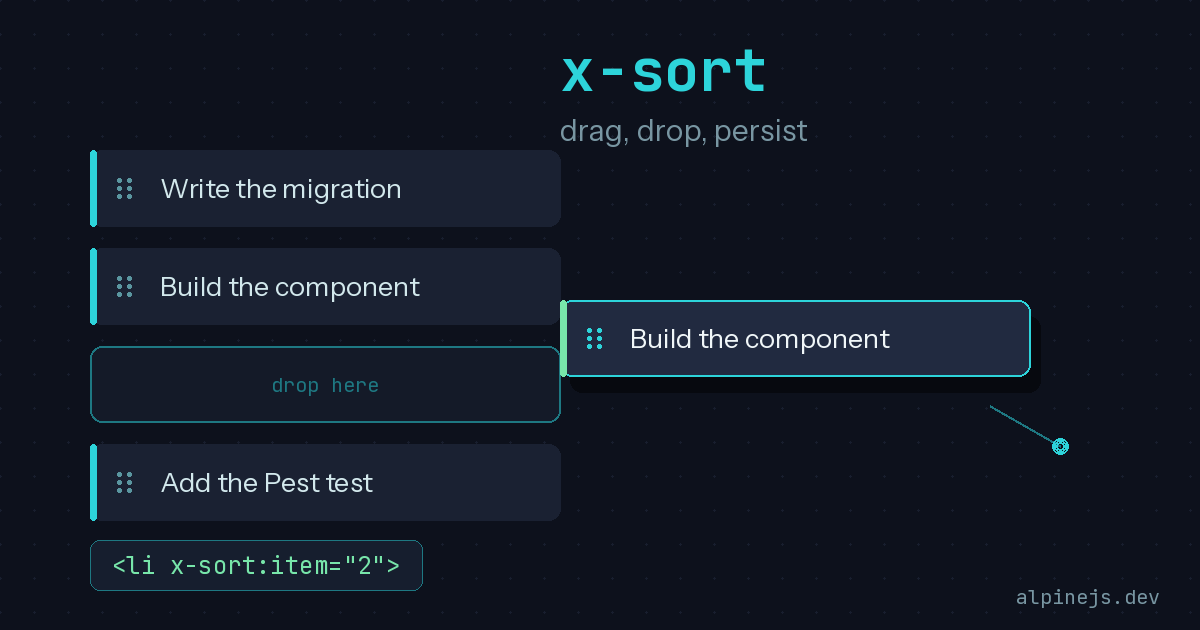
Reorderable lists are one of those features that look trivial in a mockup and turn into a weekend of frustration the moment you start building them. Native HTML drag-and-drop is famously awkward, and reaching for a full SPA framework just to drag a few cards around feels like bringing a forklift to carry a coffee cup. Alpine’s Sort plugin lands in exactly the right spot: a handful of attributes, no build step required, and a clean handler hook for persisting the new order to your database. With the recent 3.15.11 release adding a couple of quality-of-life fixes, it is a good time to revisit how this fits into a Laravel app.
The Smallest Possible Sortable List
The plugin wraps SortableJS under the hood, but you never touch that API directly. You add x-sort to a container and x-sort:item to each child, and the children become draggable:
<ul x-sort>
    <li x-sort:item>Write the migration</li>
    <li x-sort:item>Build the Livewire component</li>
    <li x-sort:item>Add the Pest test</li>
</ul>
That is the entire setup for visual reordering. The drag interaction, the animation, the placeholder hole left behind by the dragged element, all of it works out of the box. Installation is the usual Alpine plugin dance, either a CDN script tag placed before Alpine core, or an NPM install wired through Alpine.plugin(sort).
The piece that actually matters for a real application is the handler. Reordering on screen is pointless if the order resets the next time the page loads, so you attach a function to x-sort and a key to each item:
<ul x-sort="handleSort">
    <li x-sort:item="1">Write the migration</li>
    <li x-sort:item="2">Build the Livewire component</li>
    <li x-sort:item="3">Add the Pest test</li>
</ul>
The handler receives the moved item’s key and its new zero-based position. You can also read them inline through the $item and $position magics. Either way, those two values are all you need to send a persistence request:
<div x-data="{
    handleSort(item, position) {
        fetch(`/tasks/${item}/reorder`, {
            method: 'PATCH',
            headers: {
                'Content-Type': 'application/json',
                'X-CSRF-TOKEN': document.querySelector('meta[name=csrf-token]').content,
            },
            body: JSON.stringify({ position }),
        })
    }
}">
    <!-- the x-sort list -->
</div>
Persisting Order on the Laravel Side
The frontend hands you a key and a target position. The interesting design question is on the backend: how do you store ordering without rewriting half the table on every drag? The pragmatic approach for most apps is a simple integer position column and a reshuffle inside a transaction.
public function reorder(Request $request, Task $task)
{
    $validated = $request->validate([
        'position' => ['required', 'integer', 'min:0'],
    ]);

    DB::transaction(function () use ($task, $validated) {
        $task->moveToPosition($validated['position']);
    });

    return response()->noContent();
}
Spatie’s eloquent-sortable package is the well-worn solution here, giving you a setNewOrder() helper and an ordered() scope so you do not hand-roll the gap management. If you would rather avoid mass updates entirely, a fractional or lexicographic ranking strategy lets you insert between two neighbors by computing a key that sorts between them, touching only the single moved row. That is more machinery than a small to-do list needs, but it pays off once lists grow long or reorders get frequent.
A word of caution that bites people: never trust the position from the client as a source of truth for anything but the move itself. Re-derive the canonical order from the database when you render, and validate that the user actually owns the record they are reordering. The handler fires on every drop, so debounce or guard against rapid-fire requests if a user gets impatient.
Grouping, Handles, and the New 3.15 Touches
Two features turn the basic list into something that feels like a real product. Groups let you drag items between separate lists by giving both the same x-sort:group name, which is exactly the Kanban board pattern of moving a card from “To Do” to “In Progress”:
<div class="board">
    <ul x-sort="moveCard" x-sort:group="board">
        <li x-sort:item="1">Card A</li>
    </ul>
    <ul x-sort="moveCard" x-sort:group="board">
        <li x-sort:item="2">Card B</li>
    </ul>
</div>
When an item crosses groups, only the destination list’s handler runs, so you get the key and the new position in the column it landed in. You will usually want to also send the target column’s identifier, which you can read from the list element in your handler.
Drag handles are the second piece. By default the whole item is draggable, which is a problem the moment the card contains a button or a link. Mark a small grip element with x-sort:handle and only that responds to dragging, and use x-sort:ignore on interactive controls so clicking “Edit” never starts a drag:
<li x-sort:item="1">
    <span x-sort:handle class="cursor-move">::</span>
    <span>Review the PR</span>
    <button x-sort:ignore>Edit</button>
</li>
The 3.15.11 release, published in April 2026, added the ability to define x-sort:handle on attributes inside template tags, which matters when your items are rendered through x-for loops or Livewire’s templating rather than written out by hand. The same release shipped the new x-anchor.noflip modifier for the Anchor plugin and fixed a $refs regression in Morph from 3.15.9, so if you lean on Alpine for floating UI or Livewire-driven DOM updates, it is worth bumping your version.
One last gotcha worth knowing about: Chrome and Safari have a long-standing bug where hover styles get misapplied to the element sitting in the dragged item’s old slot. Alpine adds a .sorting class to the body during a drag, so you can scope hover effects with a selector like body:not(.sorting) & to dodge it. It is the kind of detail that the docs call out explicitly, which tells you it has tripped up enough people to be worth a fix.
Why This Belongs in Your Toolkit
The appeal of the Sort plugin is the same as Alpine itself. It does one job, it does it in markup you can read, and it gets out of the way. Paired with a Livewire component or a thin controller endpoint, you get drag-and-drop reordering that persists across refreshes without dragging a frontend build pipeline into a project that did not have one. For Kanban boards, sortable settings, prioritized queues, and the dozens of small reorderable lists that show up in real apps, it is hard to justify reaching for anything heavier.