Symfony AI: A Practical Guide to PHP's New Agent Toolkit
Symfony AI is nearing 1.0 with components for agents, tools, and one unified API across OpenAI, Anthropic, and Gemini. Here is how to use it in PHP.
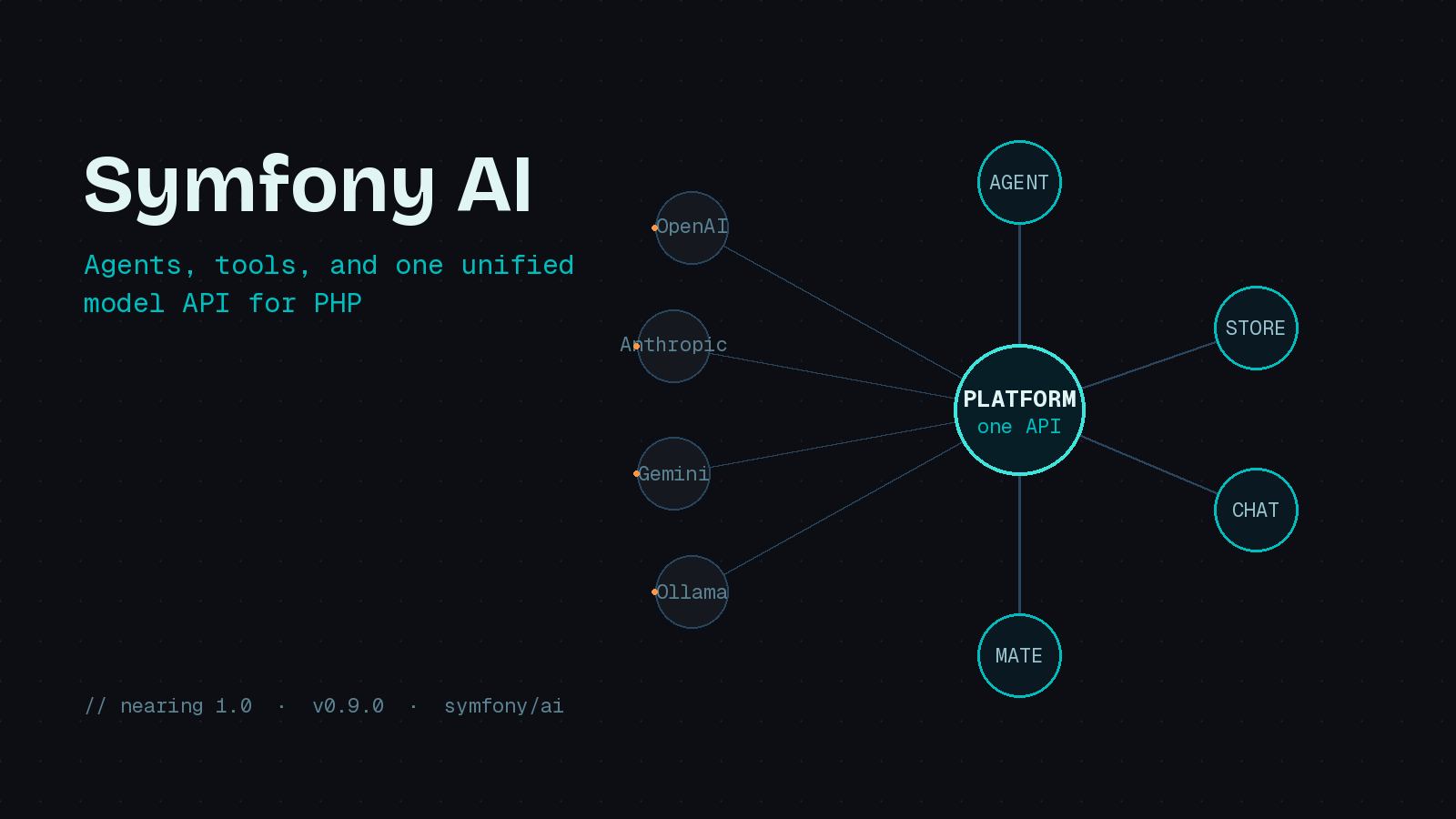
For a couple of years, building AI features in PHP meant reaching for a third-party SDK, wiring up your own HTTP client against a provider’s REST API, and writing glue code that broke the moment you wanted to switch models. Symfony AI is the framework team’s answer to that mess, and as of June 2026 it is closing in on a 1.0 release. The June 19 blog post made the timeline official, and the project now sits at v0.9.0 with more than 1,100 GitHub stars, roughly 35 model bridges, and two dozen vector store integrations. It is worth a serious look even if you are not a Symfony shop, because most of it works as standalone components in any PHP application.
What Is Actually In The Box
Symfony AI is not a single package. It is a set of layered components, each usable on its own, plus two bundles for the people who want Symfony’s container to wire everything together.
The Platform component is the foundation. It gives you one interface to talk to OpenAI, Anthropic, Azure, Gemini, VertexAI, Ollama, and a long list of others. The Agent component sits on top of Platform and adds the orchestration you need for real applications: tool calling, input and output processors, and structured workflows. Store is a storage abstraction for indexing and retrieval, which is what you want for retrieval-augmented generation against a vector database. Chat provides a unified way to send messages to agents and persist long-term context. And Mate is an MCP development server that lets AI assistants interact with your PHP application through standardized tools.
The two bundles are the AI Bundle, which integrates Platform, Store, and Agent into Symfony, and the MCP Bundle, which wraps the official MCP SDK so your app can act as an MCP server or client. The clean separation matters: you can pull in just symfony/ai-platform for a script that calls one model, or assemble the whole stack for a production agent.
The Smallest Useful Example
Here is the pattern that shows up everywhere once you start reading the docs. You build a MessageBag, hand it to an agent, and read the result.
use Symfony\AI\Agent\Agent;
use Symfony\AI\Platform\Message\Message;
use Symfony\AI\Platform\Message\MessageBag;

$agent = new Agent($platform, 'gpt-5-mini');

$messages = new MessageBag(
    Message::forSystem('You are a pirate and you write funny.'),
    Message::ofUser('What is the Symfony framework?'),
);

$response = $agent->call($messages, [
    'temperature' => 1.0,
]);

echo $response->getContent();
The thing to notice is what is missing. There is no provider-specific request shape, no manual JSON assembly, no bespoke response parsing. The MessageBag and Message value objects are the same regardless of which model string you pass to the agent. Swapping gpt-5-mini for an Anthropic or Gemini model is a one-line change, and the rest of your code does not care.
Giving The Model Tools
A chat completion is useful, but the interesting work starts when the model can call back into your code. Symfony AI handles this with a #[AsTool] attribute on any class you want to expose. The component reads the method signature and description, advertises the tool to the model, and runs the actual function when the model decides to call it.
use Symfony\AI\Agent\Toolbox\Attribute\AsTool;

#[AsTool('company_name', 'Provides the name of your company')]
final class CompanyName
{
    public function __invoke(): string
    {
        return 'ACME Corp.';
    }
}
You are not limited to writing every tool yourself. The Agent component ships a growing catalog of tool bridges as separate packages, so you install only what you use. The current set includes Brave Search (symfony/ai-brave-tool), a Clock, Filesystem and Firecrawl tools, Mapbox, OpenMeteo for weather, SerpApi and Tavily for search, a Web Scraper, Wikipedia, and YouTube, among others. Each is a composer require away.
In a Symfony app, you wire all of this through configuration rather than code. By default the AI Bundle injects every known tool into the agent, but you can be explicit:
ai:
  agent:
    default:
      include_tools: true
      tools:
        - 'Symfony\AI\Agent\Bridge\SimilaritySearch\SimilaritySearch'
        - service: 'App\Agent\Tool\CompanyName'
          name: 'company_name'
          description: 'Provides the name of your company'
        - agent: 'research'
          name: 'wikipedia_research'
          description: 'Can research on Wikipedia'
That last entry is worth pausing on. You can register an entire agent as a tool of another agent, which is how Symfony AI lets you compose specialist agents into a coordinator without inventing your own orchestration layer.
Shaping The Conversation With Processors
For anything beyond a toy, you will want to inject context before the model sees the prompt. The Agent component uses input processors for exactly this. A processor implements InputProcessorInterface and can rewrite the MessageBag on its way in, which is the clean place to add the current user, tenant data, or guardrails.
public function processInput(Input $input): void
{
    $user = $this->security->getUser();

    if ($user) {
        $input->setMessageBag(
            (new MessageBag(
                new SystemMessage(sprintf(
                    'Current user is %s (ID: %d)',
                    $user->getEmail(),
                    $user->getId(),
                ))
            ))->merge($input->getMessageBag())
        );
    }
}
There is a matching output processor side for post-processing what the model returns, which is where you would enforce structured output or strip anything you do not trust.
Built For Production, Not Just Demos
The feature that convinced me this project is serious is the FailoverPlatform, which landed back in v0.2.0. You configure a primary platform and one or more backups, and when the primary stops responding the system automatically routes to the next one. If your OpenAI calls start timing out, traffic shifts to Azure or Anthropic without a redeploy. For anyone who has watched a single-provider outage take down an AI feature, that is the difference between a clever prototype and something you can actually run.
Should You Adopt It Now
The honest answer is that the components are still marked experimental, which means the API can shift before 1.0 and Symfony’s backward compatibility promise does not yet apply. That is the normal cost of being early. In exchange you get a provider-agnostic foundation maintained by the Symfony core team, a real tool ecosystem, and failover that most hand-rolled integrations never bother with. If you are starting a new AI feature in PHP today, building it on the Platform component and pinning your version is a reasonable bet. If you maintain an older app, note that the components stay compatible back to Symfony 5.4 and 6.4, so you are not forced to upgrade the whole framework to experiment.
The broader point is that PHP finally has a first-party answer for AI integration instead of a pile of competing SDKs. That alone makes Symfony AI worth your afternoon.