Positioning UI the Easy Way: Alpine's x-anchor Plugin and the New .fixed Modifier
Build dropdowns, tooltips, and popovers that stay glued to their trigger using Alpine's x-anchor plugin, including the new .fixed modifier shipped in May 2026.
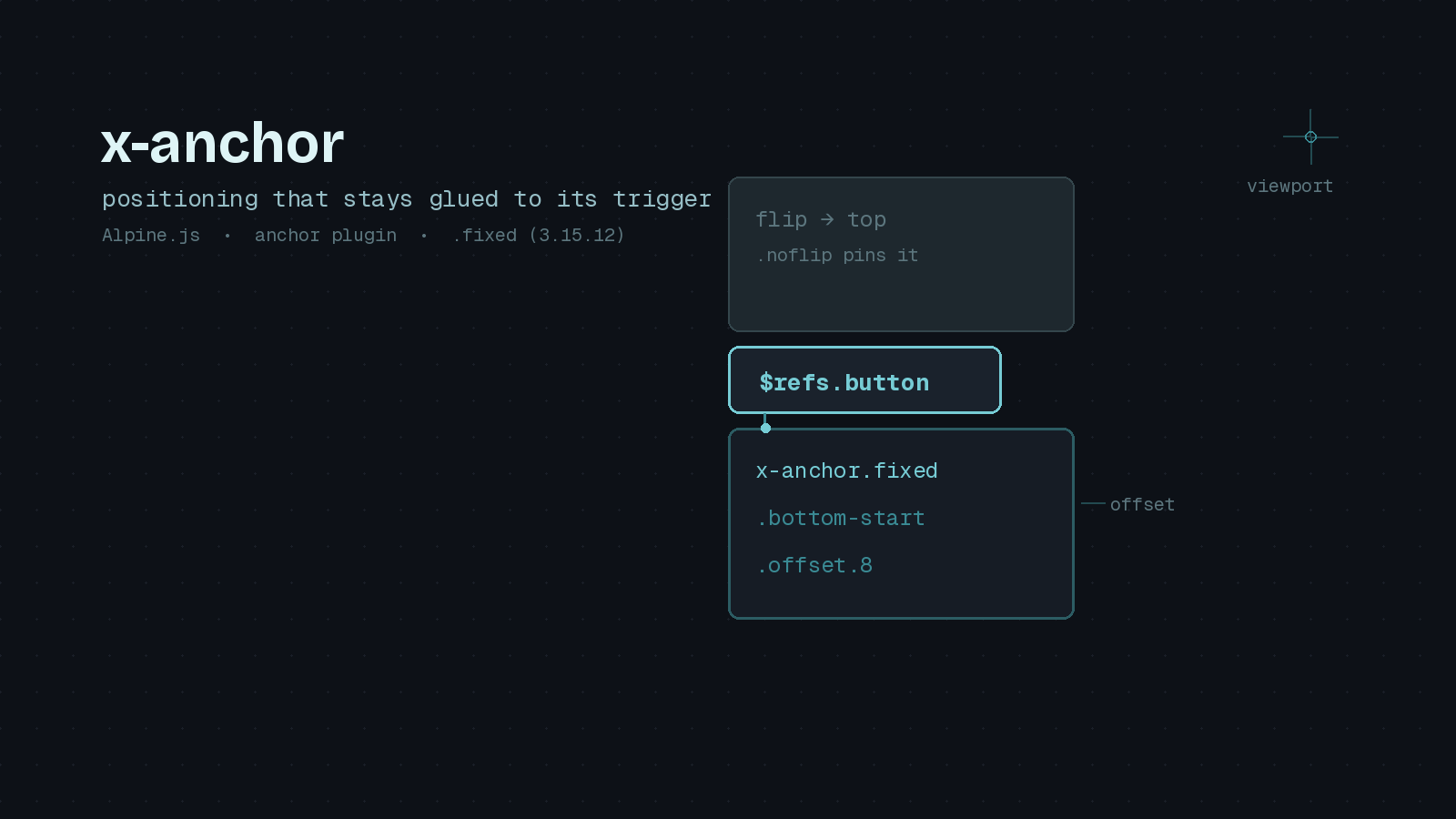
If you have ever hand-rolled a dropdown menu, you know the positioning is the part that quietly eats your afternoon. Getting the panel to open below the button is easy. Getting it to flip above the button when there is no room below, stay attached during scroll, and not get clipped by an overflow: hidden ancestor is where the pain lives. For years the honest answer in the Laravel and Livewire world was to reach for Floating UI directly, or to accept a menu that occasionally rendered halfway off screen.
Alpine’s anchor plugin exists to make that whole category of problem disappear. It wraps Floating UI behind a single directive, x-anchor, and it recently picked up a couple of modifiers worth knowing about. I have been leaning on it heavily in Livewire projects, so here is a practical tour, including the .fixed modifier that landed in Alpine 3.15.12 in May 2026.
What the plugin actually does
The anchor plugin lets you tie one element’s position to another element on the page. You point the floating element (a dropdown panel, a tooltip, a popover) at a reference element (usually the button that opens it), and Alpine keeps the two visually connected. It recalculates on scroll and resize, and by default it will flip the floating element to the opposite side when it would otherwise overflow the viewport.
It is a separate bundle from Alpine core, so you pull it in first. Over a CDN that looks like this, and the anchor script must come before Alpine itself:
<script defer src="https://cdn.jsdelivr.net/npm/@alpinejs/[email protected]/dist/cdn.min.js"></script>
<script defer src="https://cdn.jsdelivr.net/npm/[email protected]/dist/cdn.min.js"></script>
If you build assets through npm, install @alpinejs/anchor and register it before you start Alpine:
import Alpine from 'alpinejs'
import anchor from '@alpinejs/anchor'

Alpine.plugin(anchor)
Alpine.start()
A dropdown in six lines
Here is the whole point of the plugin in one small example. You give the trigger an x-ref, then hand that reference to x-anchor on the panel:
<div x-data="{ open: false }">
    <button x-ref="button" @click="open = ! open">
        Toggle menu
    </button>

    <div
        x-show="open"
        x-anchor="$refs.button"
    >
        Dropdown content
    </div>
</div>
That is a functioning, viewport-aware dropdown. No positioning CSS, no manual coordinate math. Alpine places the panel and keeps it attached to the button as the page moves.
Controlling placement
By default the panel appears directly below the reference element. You change that with placement modifiers, which read exactly like Floating UI’s placement names:
<div x-anchor.top="$refs.button">Opens above</div>
<div x-anchor.bottom-start="$refs.button">Below, left-aligned</div>
<div x-anchor.right-end="$refs.button">To the right, bottom-aligned</div>
The available placements are top, bottom, left, and right, each optionally suffixed with -start or -end to control alignment along the cross axis. For a menu attached to a button in a left-hand navigation, right-start is usually what you want.
You will almost always want a little breathing room between the trigger and the panel. The .offset modifier takes a pixel value:
<div x-anchor.bottom-start.offset.8="$refs.button">
    8px of space below the button
</div>
When flipping gets in the way
The automatic flipping behavior is helpful right up until it is not. If you have a design that must always open downward, a panel that flips to the top when scrolling can feel jarring. The .noflip modifier turns that off and pins the placement you asked for:
<div x-anchor.bottom-start.noflip="$refs.button">
    Always below, even near the viewport edge
</div>
The new .fixed modifier
This is the addition I was most glad to see. Alpine’s anchor plugin positions elements using absolute coordinates relative to the nearest positioned ancestor. That works fine until your floating element lives inside a container that scrolls independently, or inside a transformed parent, which is a common source of dropdowns that drift out of alignment.
The .fixed modifier, added in Alpine 3.15.12 (May 2026), switches the plugin to fixed positioning so the coordinates are calculated relative to the viewport instead:
<div
    x-show="open"
    x-anchor.fixed.bottom-start="$refs.button"
>
    Positioned with position: fixed
</div>
If you have ever had a menu inside a modal or a transform-ed card break its alignment, this is the fix. It pairs naturally with .offset and the placement modifiers.
Taking full control with $anchor
Sometimes you want the coordinates but not Alpine’s styling, for example when you are animating the panel in with a transform and do not want the plugin fighting your CSS. Pass .no-style and read the position from the $anchor magic property yourself:
<div
    x-show="open"
    x-anchor.no-style="$refs.button"
    x-bind:style="{
        position: 'absolute',
        top: $anchor.y + 'px',
        left: $anchor.x + 'px'
    }"
>
    Custom-styled panel
</div>
One sharp edge worth flagging: $anchor.x and $anchor.y are returned in the coordinate space of whichever strategy is active. Absolute coordinates are relative to the offset parent, while fixed coordinates are relative to the viewport. If you combine .no-style with .fixed, remember to set position: 'fixed' in your bound style, otherwise you will apply viewport coordinates against an offset-parent origin and the element will land in the wrong place.
Why this matters for Livewire developers
If you work in Livewire, you are already shipping Alpine, since Livewire bundles it. That means x-anchor is a small Alpine.plugin() call away rather than a new dependency to justify. It plays nicely with Livewire components too: the reference and floating elements can live in the same Blade view, and because positioning is handled entirely client side, it survives Livewire DOM morphs without a server round trip. For the common pattern of a per-row actions menu in a Livewire table, x-anchor.fixed sidesteps the clipping problems those tables love to create.
A realistic PHP Architect example, a notifications button in an app header:
<div x-data="{ open: false }" @click.outside="open = false">
    <button x-ref="bell" @click="open = ! open" aria-haspopup="true">
        Notifications
    </button>

    <div
        x-show="open"
        x-transition
        x-anchor.fixed.bottom-end.offset.6="$refs.bell"
        class="w-80 rounded-lg border bg-white shadow-lg"
    >
        <!-- notification items -->
    </div>
</div>
That is a production-grade menu with transitions, outside-click dismissal, and viewport-aware placement, and there is not a single line of positioning arithmetic in it.
Wrapping up
The anchor plugin is a small piece of Alpine, but it removes an outsized amount of fiddly work. Learn four modifiers, .offset, a placement, .noflip, and now .fixed, and you can cover the vast majority of dropdown, tooltip, and popover needs without reaching for a heavier library. If you have been carrying a hand-tuned positioning helper around your codebase, this is a good week to delete it.