Stay in the Terminal: Managing MySQL with lazysql, a TUI Database Client
lazysql is a fast, Vim-friendly terminal UI for MySQL and PostgreSQL. Here is how PHP developers browse, query, and edit databases without leaving the shell.
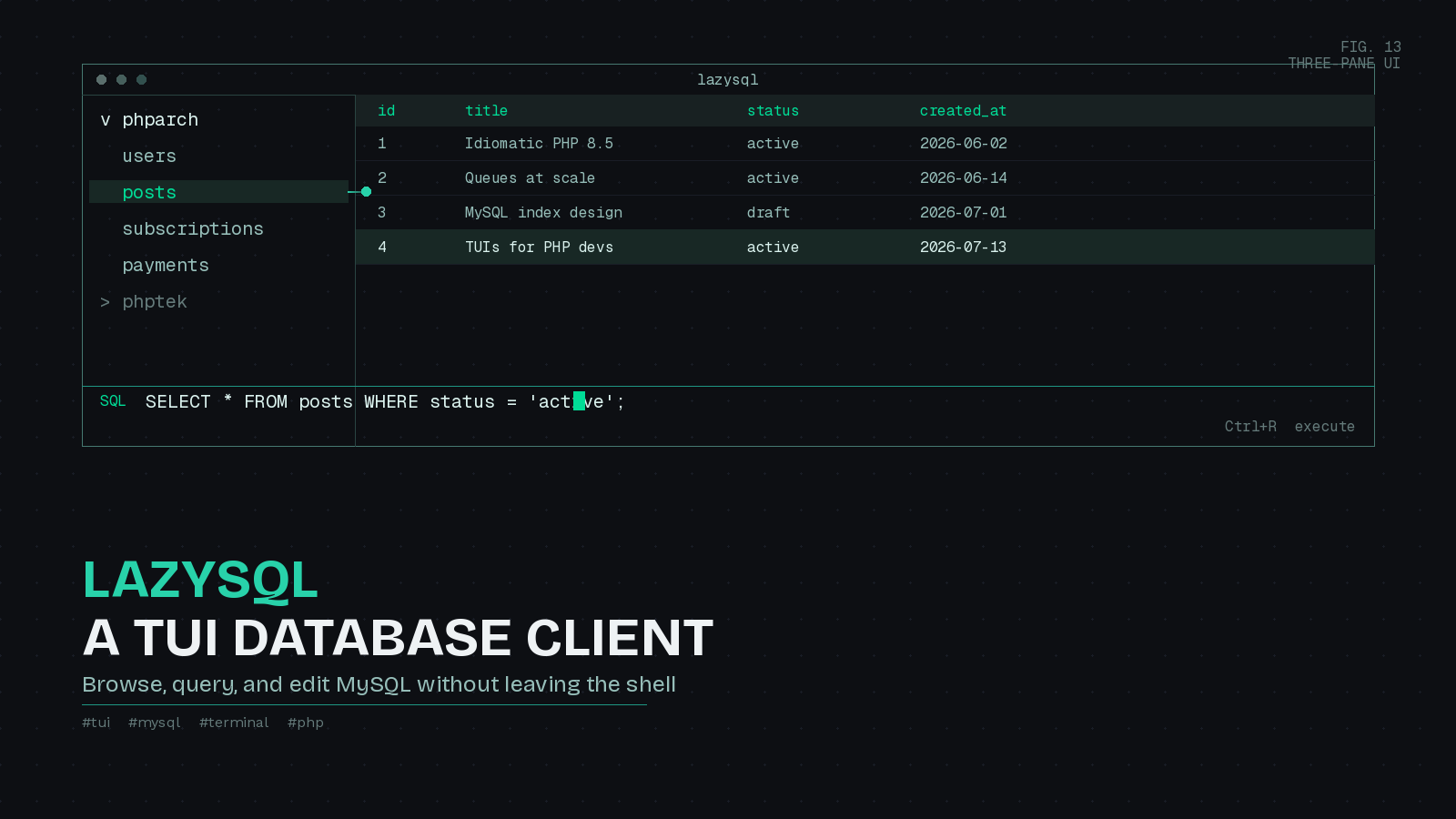
Most PHP work happens close to a database. You are debugging why an Eloquent relationship returns the wrong rows, checking whether a migration actually added the column you expected, or eyeballing a users table to confirm a seeder ran. For years the reflex has been to reach for a GUI: TablePlus, Sequel Ace, DBeaver, or phpMyAdmin in a browser tab. Those tools are fine, but they pull you out of the terminal where the rest of your workflow already lives, and they are overkill when all you want is to run a quick SELECT and read the result.
That is the gap lazysql fills. It is a cross-platform terminal UI for SQL databases, written in Go by Jorge Rojas and openly inspired by Lazygit. If you already run LazyGit, LazyDocker, or Neovim, lazysql slots into the same muscle memory. The project reached version 0.5.3 at the start of June 2026, and it has grown into a genuinely useful daily driver rather than a novelty.
What it does
lazysql gives you a three-pane terminal interface: a tree of your databases and tables on the left, a data grid on the right, and a built-in SQL editor you can toggle in. It supports MySQL, PostgreSQL, SQLite, and MSSQL, with MongoDB listed as a work in progress. For the typical PHP shop running MySQL or MariaDB behind Laravel or Symfony, that coverage is exactly what you need.
The whole thing is keyboard-driven with Vim-style bindings, so j and k move through the tree, / starts a search, and you never touch the mouse. Connections, tabs, filtering, sorting, CSV export, and a query history all live inside the TUI.
Installing it
On macOS or Linux with Homebrew, one command does it:
brew install lazysqlIf you have a Go toolchain, you can install straight from source:
go install github.com/jorgerojas26/lazysql@latestPrebuilt binaries for Windows, macOS, and Linux are on the GitHub releases page, and Arch users can pull it from the AUR. Launch it by running lazysql with no arguments to pick from saved connections, or pass a connection URL to jump straight in:
lazysql mysql://homestead:[email protected]:3306/phparchConnecting to your database
You can add a connection interactively by pressing n on the connections screen and pasting a URL, but the more durable approach is a config file. lazysql reads a TOML file from ~/.config/lazysql/config.toml on Linux, ~/Library/Application Support/lazysql/config.toml on macOS, or wherever XDG_CONFIG_HOME points. A minimal MySQL setup looks like this:
[[database]]
Name = 'PHP Tek local'
Provider = 'mysql'
DBName = 'phptek'
URL = 'mysql://root:${env:DB_PASSWORD}@127.0.0.1:3306/phptek'

[[database]]
Name = 'PHP Architect staging'
Provider = 'mysql'
DBName = 'phparch'
URL = 'mysql://reader:${env:STAGING_PASSWORD}@10.0.0.12:3306/phparch'
ReadOnly = true
Two details are worth calling out. First, the ${env:VAR_NAME} syntax pulls values from environment variables, so you keep credentials out of the config file and out of version control. Export them from your shell profile or a secrets manager and lazysql substitutes them at connect time:
export DB_PASSWORD=localsecret
export STAGING_PASSWORD=supersecret
lazysql
Second, ReadOnly = true blocks every mutation query, so INSERT, UPDATE, DELETE, and DROP are rejected before they run. Setting that flag on anything resembling production is a cheap insurance policy against the classic “I thought I was on local” mistake. You can also launch any connection read-only from the command line with lazysql --read-only.
There is a nice touch for teams too. Drop a .lazysql.toml file in a project directory next to the .git folder and lazysql will use it instead of the global config when you launch from inside that repo. That lets you commit a project’s non-secret connection settings while still resolving passwords from the environment.
Living in it day to day
Once connected, the tree on the left lists your tables. Expand a node with e or Enter, move around with j and k, jump to the top or bottom with g and G, and open a table with Enter. Focus moves between the tree and the data grid with H and L, the same left and right hand pattern Vim users already know.
Reading data is the common case, and filtering is where lazysql shines for debugging. Open a table, press /, and type a raw WHERE clause:
status = 'active' AND created_at > '2026-01-01'Press Enter and the grid updates. Sort a column ascending with K or descending with J, copy a cell to the clipboard with y, and page through large result sets with < and >. When you land on a row that holds a JSON column, which is increasingly common in modern MySQL schemas, press z to open a formatted JSON viewer for the cell or Z for the whole row instead of squinting at a single wrapped line.
For anything beyond browsing, the SQL editor is a keystroke away. Press Ctrl+E to open it, write your query, and press Ctrl+R to run it. If the query is a SELECT, the results appear in the grid below. If you would rather compose a gnarly query in your real editor, Ctrl+Space opens it in whatever $SQL_EDITOR or $EDITOR points to, so you can write it in Neovim and hand it back to lazysql to execute.
Editing is deliberate rather than instant. Change a cell with c, append a new row with o, or delete a row with d, and those changes queue up as pending edits. Nothing hits the database until you press Ctrl+S to commit, which gives you a moment to reconsider before a write lands. Along the bottom, number keys switch between the records view and the table’s columns, constraints, foreign keys, and indexes, so you can inspect a table’s structure without writing a single SHOW statement. When you need to hand data to someone, press E to export the current page or the entire table to CSV.
Two more habits worth forming: press ? at any time to see the full keybinding list, and Ctrl+P for a global search across your data. Every binding is remappable through a [keymap.*] section in the config if the defaults fight your setup.
Is it worth adopting?
lazysql is not trying to replace a full featured GUI for schema design or complex visual query building. Its own README still describes the project as early stage, and there is no way to create a table through the interface yet. What it is very good at is the thing PHP developers do dozens of times a day: connect, look, filter, run a quick query, and get back to code, all without leaving the terminal or breaking flow. Paired with a read-only flag on your shared environments and credentials sourced from the environment, it is a fast and safe addition to the toolkit. If you already live in the shell, give it an afternoon and see whether your GUI starts gathering dust.