As Easy as PIE: PHP's New Extension Installer Retires PECL
PECL is officially deprecated. Here is how PHP's new extension installer PIE works, why it exists, and how to use it to manage extensions like Composer.
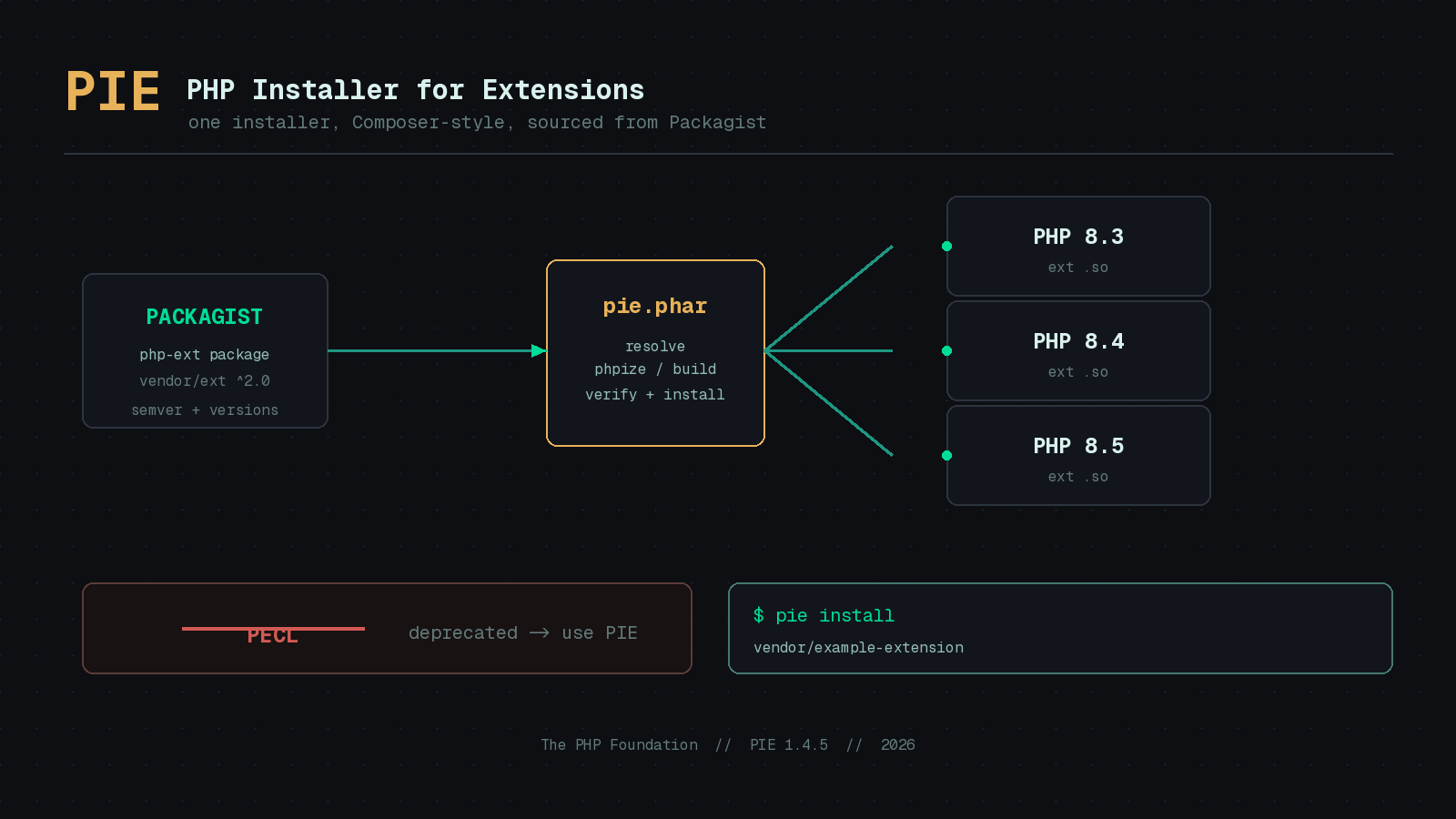
For as long as most of us have been writing PHP, installing a native extension meant one of two things: reaching for your operating system’s package manager and hoping the version you needed was packaged, or running pecl install and crossing your fingers. PECL served the community for over two decades, but it always felt like a relic. It predated Composer, it had no concept of a lock file, its metadata lived in a separate universe from Packagist, and publishing to it was awkward enough that many maintainers simply did not bother.
That era is now formally over. With the publication of PIE 1.0 in June 2025 and the PHP Foundation’s acceptance of the Deprecate PECL / Adopt PIE RFC, PECL no longer accepts new packages and points authors at the new infrastructure instead. The replacement is PIE, the PHP Installer for Extensions, and if you have used Composer you already understand most of how it works. The project has moved quickly since that first stable release, with version 1.4.5 shipping in late May 2026.
What PIE actually is
PIE is the official installer for PHP extensions, developed by the PHP Foundation and led by James Titcumb, who authored roughly 90 percent of the codebase. It is distributed as a PHAR, exactly like Composer, and it behaves in a familiar way. The crucial difference is what it installs. Composer pulls PHP packages into your project’s vendor directory. PIE installs PHP modules and Zend extensions directly into your PHP installation so they load at runtime.
The single most important design decision is that PIE extensions are distributed through Packagist, the same registry you already use for every other dependency. There is no separate account, no separate publishing flow, no bespoke metadata format. An extension is just a Composer package with a php-ext type, which means extension authors get versioning, semantic constraints, and discoverability for free. You can browse the full list of PIE-compatible extensions at packagist.org/extensions.
Getting it installed
You need PHP 8.1 or newer to run PIE itself, though it can install an extension into any other PHP version present on the machine. That distinction matters if you juggle several PHP builds, which most of us do.
Download the PHAR from the releases page, verify it, and drop it somewhere on your PATH. The project ships a one-liner for non-Windows systems that does all three steps:
curl -fL --output /tmp/pie.phar https://github.com/php/pie/releases/latest/download/pie.phar \
  && gh attestation verify --owner php /tmp/pie.phar \
  && sudo mv /tmp/pie.phar /usr/local/bin/pie \
  && sudo chmod +x /usr/local/bin/pie
That gh attestation verify step is worth pausing on. It uses GitHub’s build provenance attestations to confirm the PHAR you downloaded was genuinely produced by the php/pie repository’s release pipeline and not tampered with in transit. Supply chain verification baked into the install instructions is the kind of detail that tells you this tool was built in 2025, not 2005.
Installing a single extension
The command you will reach for most is install. Point it at a Packagist package and PIE handles the rest:
pie install asgrim/example-pie-extensionOn a typical Linux box, the output walks you through every stage so nothing is hidden:
🥧 PHP Installer for Extensions (PIE) 1.4.0, from The PHP Foundation
You are running PHP 8.5.3
Target PHP installation: 8.5.3 nts, on Linux/OSX/etc x86_64 (from /usr/bin/php8.5)
Found package: asgrim/example-pie-extension:2.0.9 which provides ext-example_pie_extension
phpize complete.
Configure complete with options: --with-php-config=/usr/bin/php-config8.5
Build complete: /path/to/example-pie-extension/modules/example_pie_extension.so
Install complete: /usr/lib/php/20250925/example_pie_extension.so
✅ Extension is enabled and loaded in /usr/bin/php8.5
Notice that PIE ran phpize, configured, compiled, and copied the resulting shared object into the correct extension directory for that exact PHP build, then confirmed it is enabled. On Linux and macOS, if the build tools it needs are missing, PIE offers to install them for you first, a convenience added in version 1.4.0. On Windows there is no compilation at all, since Windows extensions are distributed as pre-compiled DLLs, so the whole thing is a download and a copy.
Installing everything a project needs
The feature that finally closes the gap with Composer is project-aware installation. If a package declares its required extensions in composer.json, running pie install with no arguments inside that project checks each one and offers to install anything missing. Imagine the PHP Architect subscriber portal declared its needs like this:
{
    "name": "phparch/subscriber-portal",
    "require": {
        "php": ">=8.4",
        "ext-curl": "*",
        "ext-example_pie_extension": "^2.0"
    }
}
Running the bare command produces a checklist and prompts you for the pieces that are not present yet:
$ pie install
Checking extensions for your project phparch/subscriber-portal
requires: ext-curl:* ✅ Already installed
requires: ext-example_pie_extension:^2.0 🚫 Missing
For automated environments such as a PHP Tek demo container or a CI pipeline, an interactive prompt is a problem. PIE handles that with the --allow-non-interactive-project-install flag, which lets the command run unattended. It can still fail if two packages both claim to provide the same extension, so you will want your dependencies to be unambiguous.
pie install --allow-non-interactive-project-installThis is the part that will change how teams build images. Instead of a tangle of apt-get install php-something lines pinned to whatever the base image ships, your extension requirements live in composer.json alongside everything else, version-constrained and reproducible.
For extension maintainers
If you maintain an extension, adopting PIE means adding a small amount of metadata to your composer.json, setting the package type to php-ext, and tagging a release. The PHP Foundation has published a dedicated maintainers guide, and because everything flows through Packagist, you no longer maintain a separate PECL listing or wrangle its release tooling. Given how often the friction of PECL publishing kept useful extensions unpublished, lowering that barrier may prove to be PIE’s most lasting contribution.
Should you switch now?
For day-to-day development, yes, PIE is ready. It is the official, Foundation-backed path forward, PECL is closed to new packages, and the tool is mature enough that the Foundation shipped fourteen releases across its first year. The one honest caveat is coverage: not every extension you depend on has published a PIE-compatible package yet, so check packagist.org/extensions before you rewrite your Dockerfile. Where an extension is available, PIE is faster to reason about, safer to verify, and consistent with the Composer workflow you already know. After twenty years, managing PHP extensions is finally about as easy as pie.