Symfony Tui Component: Build Full-Screen Terminal Apps in Pure PHP
Symfony 8.1 ships an experimental Tui component for full-screen terminal apps in PHP. See the widget model, styling, fibers, and Console integration.
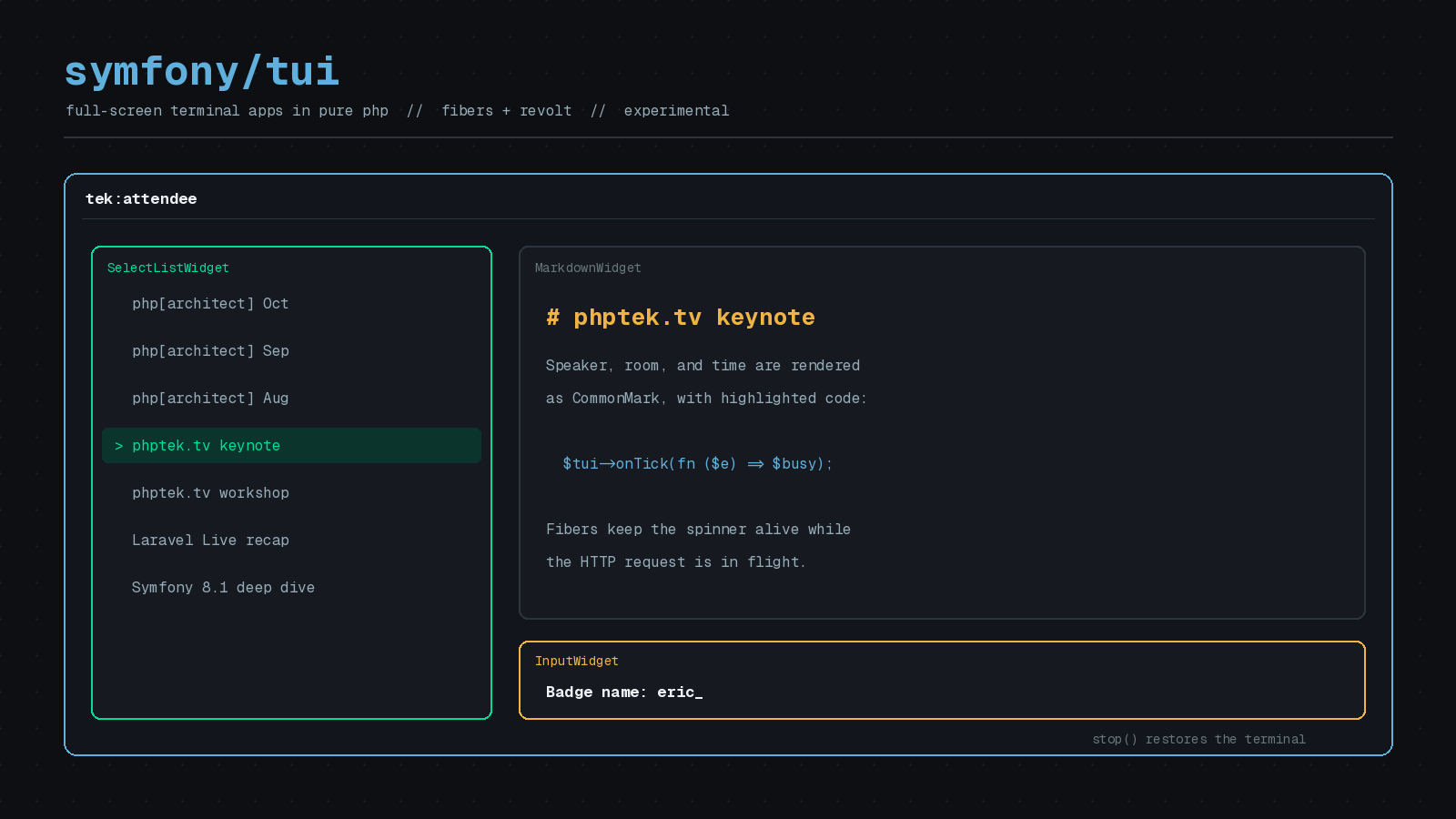
Most PHP command-line tools I have written look the same. Print some lines, ask a question, print a progress bar, exit. That is what the Console component is for, and it does the job well.
But the tools people are excited about in the terminal right now work differently. AI coding assistants, log viewers, file managers, and dashboards take over the whole screen, redraw in place, and react to every keystroke. PHP has never had a first-party answer for that. As of Symfony 8.1, it does: the Tui component.
This post walks through what it is, what the API looks like, and the caveats you should know before you build on it.
What Tui is (and is not)
Fabien Potencier announced the component on March 25, 2026, and it shipped in a stable Symfony release as part of Symfony 8.1, with the post celebrating that on June 16, 2026.
The design idea is a split of responsibilities. Console stays focused on commands, arguments, and output. Tui takes over widgets, layouts, styling, input handling, mouse support, and real-time rendering. It complements Console rather than replacing it.
Two practical requirements come straight from the Packagist listing: PHP 8.4.1 or higher, and a dependency on revolt/event-loop. Install it with Composer:
composer require symfony/tuiThere is one more thing to read before you commit. The README states that the component is experimental, which means it is not covered by Symfony’s backward compatibility promise. Pin your version and expect some API movement between minor releases. At the time of writing, the latest release listed is v8.1.9 from October 7, 2026.
Your first Tui app
The official 8.1 post shows the basic loop: create a Tui, add widgets, react to events, and run. This is the example from that post, which prompts for a name:
use Symfony\Component\Tui\Event\InputEvent;
use Symfony\Component\Tui\Input\Keybindings;
use Symfony\Component\Tui\Tui;
use Symfony\Component\Tui\Widget\InputWidget;
use Symfony\Component\Tui\Widget\TextWidget;

$tui = new Tui();

$input = new InputWidget();
$input->setPrompt('Name: ');
// widgets are event-driven: react to submit, cancel, change, selection, etc.
$input->onSubmit(fn () => $tui->stop());

$tui->add(new TextWidget('Enter your name and press Enter:'));
$tui->add($input);
$tui->setFocus($input);

// intercept raw keystrokes (here, quit on Ctrl+C)
$keys = new Keybindings(['quit' => ['ctrl+c']]);
$tui->addListener(function (InputEvent $event) use ($tui, $keys) {
    if ($keys->matches($event->getData(), 'quit')) {
        $tui->stop();
    }
});

$tui->run(); // blocks until stop() is called; then the terminal is restored

echo 'Hello, '.$input->getValue()."!\n";
A few things are worth noticing. Widgets are event-driven, so you attach callbacks like onSubmit() instead of polling. run() blocks until you call stop(), and at that point the terminal is restored to its normal state, so you can echo normally afterward. And raw keystrokes go through a listener, with Keybindings giving you named actions instead of comparing escape sequences by hand.
The widget toolkit
You rarely draw cells yourself. According to the announcement, Tui ships these widgets:
TextWidgetfor labels, headings, and FIGlet ASCII art bannersInputWidgetfor single-line fieldsEditorWidget, a multi-line editor with undo/redo and autocompleteSelectListWidgetfor scrollable, filterable pick listsSettingsListWidgetfor preference panelsTabsWidgetfor multi-view interfacesMarkdownWidgetwith CommonMark support and syntax-highlighted code blocksLoaderWidget,CancellableLoaderWidget, andProgressBarWidgetfor background work
There are also image widgets, using the Kitty graphics protocol, and an OverlayWidget for modal dialogs and dropdowns. Widgets compose into trees with ContainerWidget, which supports vertical or horizontal layout, gaps, and vertical expansion.
For a PHP Architect back-issue browser, I would use a SelectListWidget for the issue list, a MarkdownWidget for the detail pane, and a horizontal ContainerWidget to put them side by side.
CSS-like styling
This is the part that will feel familiar to anyone who writes web code. Styles are immutable value objects, and the cascade works like CSS. The 8.1 post shows applying a Style directly:
use Symfony\Component\Tui\Style\Border;
use Symfony\Component\Tui\Style\Padding;
use Symfony\Component\Tui\Style\Style;

$panel->setStyle(new Style(
    color: 'cyan',
    bold: true,
    padding: Padding::all(1),
    border: Border::all(1, 'rounded', 'cyan'),
));
The original announcement describes three layers that merge in order: stylesheet rules with selectors (including :focused states and responsive breakpoints), then Tailwind-like utility classes, then inline styles with the highest priority. A stylesheet rule and a utility class look like this, again from the announcement:
$stylesheet->addRule('.sidebar:focused', new Style(
    border: Border::all(1, 'rounded', 'cyan'),
));

$widget->addStyleClass('p-2');
$widget->addStyleClass('bg-emerald-500');
$widget->addStyleClass('border-rounded');
Colors can be ANSI, 256-palette, or true color RGB.
Non-blocking by default
The most interesting design choice is under the hood. Tui runs on PHP Fibers and the Revolt event loop, which means the app is single-threaded but concurrent, with no extensions required. In the announcement’s words, animations keep running while you type, and a loader spinner keeps spinning during HTTP requests.
Revolt is also the event loop used by the Amp ecosystem, so Amp’s non-blocking HTTP, process, and timer libraries share the same loop. That is how you would fetch from an API without freezing the interface.
For per-frame work, you register a tick callback. This snippet is from the 8.1 post, where $future is an async result and $loader is a loader widget:
use Symfony\Component\Tui\Event\TickEvent;

$tui->onTick(function (TickEvent $event) use ($future, $loader, $tui) {
    if ($future->isComplete()) {
        $loader->stop();

        return false; // idle: stop ticking and save CPU
    }

    return true; // busy: keep ticking at high frequency
});
Returning false tells Tui you are idle so it can stop ticking and save CPU. Returning true keeps the high-frequency loop running. That small contract is what makes it practical to build live dashboards without pegging a core.
The announcement also says the renderer tracks dirty widgets, caches unchanged output, and diffs the screen so only changed cells are written to the terminal. You get that without doing anything.
Using it inside a Console command
You do not have to abandon Console. Per the announcement, you can create a Tui inside a command’s execute() method, run it, and return the exit code. After run() returns, the terminal is restored and the regular output object works again.
Here is how I would shape that, using the Symfony #[AsCommand] attribute and a made-up PHPTek.tv command:
namespace App\Command;

use Symfony\Component\Console\Attribute\AsCommand;
use Symfony\Component\Console\Command\Command;
use Symfony\Component\Console\Input\InputInterface;
use Symfony\Component\Console\Output\OutputInterface;
use Symfony\Component\Tui\Tui;
use Symfony\Component\Tui\Widget\InputWidget;
use Symfony\Component\Tui\Widget\TextWidget;

#[AsCommand(name: 'tek:attendee', description: 'Look up a PHPTek.tv attendee')]
final class AttendeeLookupCommand extends Command
{
    protected function execute(InputInterface $input, OutputInterface $output): int
    {
        $tui = new Tui();

        $field = new InputWidget();
        $field->setPrompt('Badge name: ');
        $field->onSubmit(fn () => $tui->stop());

        $tui->add(new TextWidget('Search attendees'));
        $tui->add($field);
        $tui->setFocus($field);

        $tui->run();

        $output->writeln(sprintf('Searching for "%s"...', $field->getValue()));

        return Command::SUCCESS;
    }
}
That pattern keeps your existing command wiring, dependency injection, and testing habits. Only the interactive part of the command uses Tui.
Is it production ready?
It depends on what you are building. Potencier says in the announcement that it already powers his own AI coding agent, with an editor widget, markdown rendering for responses, streaming via fibers, overlays, tabs, and mouse support. That is a strong demonstration of capability.
Adoption is still early. The Symfony package page shows roughly 30,000 total downloads and 19 GitHub stars, with 14 dependents, as of this writing. Third-party code is starting to appear, such as a showcase project using fibers and Revolt and the survos tui-extras-bundle, but the ecosystem is small.
My advice:
- Use it for internal tools, developer utilities, and side projects where you control the upgrade schedule.
- Pin to a specific minor version in
composer.jsonand read the changelog before each bump. - Keep your domain logic outside the widgets so a future API change only touches the presentation layer.
- Hold off on public, long-lived CLI products until the experimental label is removed.
Where I would start
Pick a tool you already run in the terminal every day, such as a queue monitor or a deploy log viewer, and ask whether a persistent screen would improve it. Build the smallest useful version with one SelectListWidget and one MarkdownWidget, and see how it feels. A first-party, fiber-based terminal toolkit is a real change for PHP, even in experimental form.