Building Your First MCP Server with Laravel
Learn how to expose your Laravel application to AI agents using the official laravel/mcp package — tools, resources, and prompts in minutes.
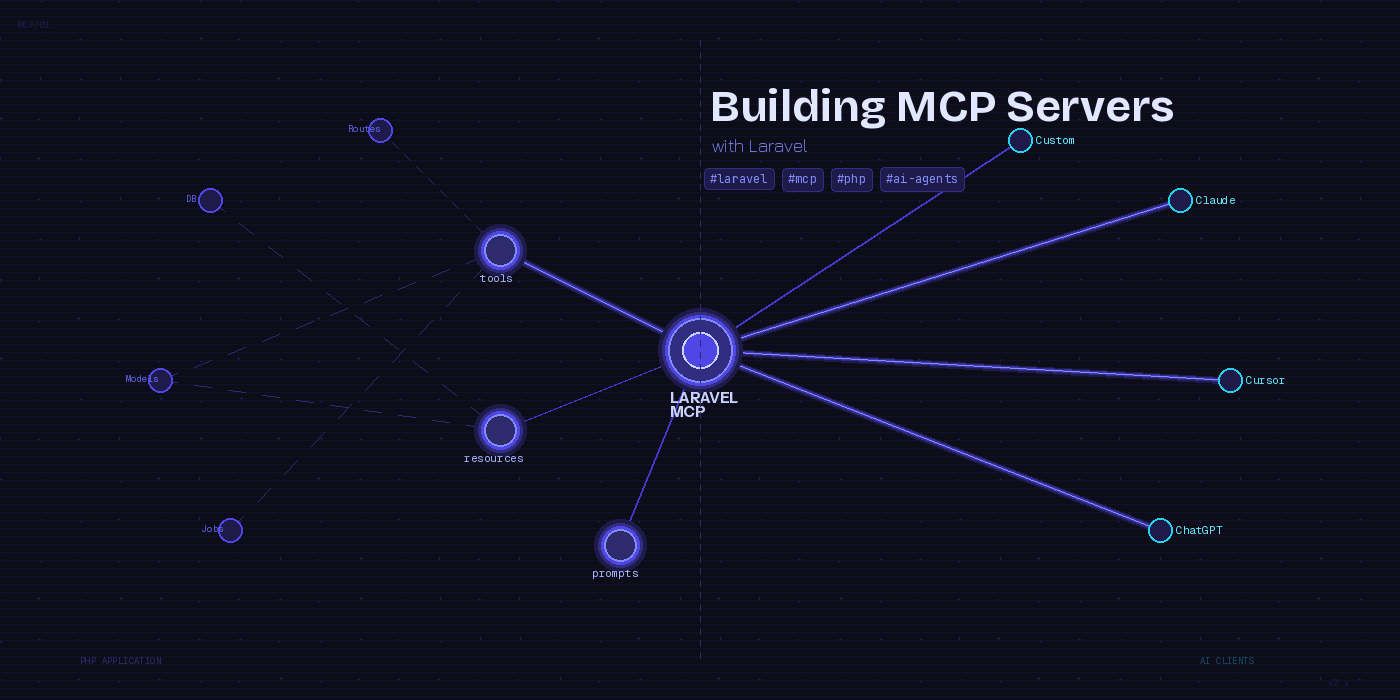
If you have been watching the AI tooling space at all, you have probably noticed that Model Context Protocol (MCP) has quietly become the standard plumbing for connecting AI clients to real-world applications. Introduced by Anthropic in late 2024, MCP defines a structured way for AI agents to call functions, read data, and use reusable prompt templates inside your apps. Claude, Cursor, ChatGPT, and a growing list of coding tools all speak it natively.
The good news for Laravel developers is that the framework now has first-class support for building MCP servers via the official laravel/mcp package. This post walks through what the package gives you, how to get a server up in minutes, and what kinds of things you can expose to AI agents using your existing Laravel codebase.
Why This Matters
MCP servers let AI tools reach into your application with structured access to your data and actions. Instead of an AI assistant making blind guesses about your app’s behavior, it can call a getOrderStatus tool, read a users://active resource, or use a SupportResponsePrompt template your team has carefully tuned. The result is an AI that operates with real application context rather than hallucinating details.
The laravel/mcp package is maintained by the Laravel team, works on Laravel 10, 11, and 12, and requires PHP 8.1 or higher. It follows the same fluent, expressive style you already know from the rest of the framework.
Installation
composer require laravel/mcp
php artisan mcp:install
That gives you a new app/Mcp/Servers directory and publishes the default configuration. Out of the box you get a DefaultServer class and an /mcp route registered by the service provider.
The Three Primitives
Every MCP server exposes three types of capabilities that AI clients can discover and use.
Tools are callable functions — the actions an AI can take. Think of them as endpoints your AI agent can POST to. Resources are read-only data exposed by URI — context the AI can pull before acting. Prompts are reusable conversation templates that let you encode institutional knowledge and guide consistent agent behavior across clients.
Defining Tools
Tools are where most of the real work happens. You can register them using PHP attributes directly on your server class:
<?php

namespace App\Mcp\Servers;

use Laravel\Mcp\Attributes\McpTool;
use Laravel\Mcp\Server;
use App\Models\Order;

class AppServer extends Server
{
    #[McpTool(description: 'Look up an order by its ID and return its current status.')]
    public function getOrderStatus(int $orderId): array
    {
        $order = Order::findOrFail($orderId);

        return [
            'id'     => $order->id,
            'status' => $order->status,
            'placed' => $order->created_at->toDateString(),
            'total'  => $order->total_amount,
        ];
    }

    #[McpTool(description: 'Search customers by name or email.')]
    public function searchCustomers(string $query, int $limit = 10): array
    {
        return \App\Models\User::where('name', 'like', "%{$query}%")
            ->orWhere('email', 'like', "%{$query}%")
            ->limit($limit)
            ->get(['id', 'name', 'email'])
            ->toArray();
    }
}
Each public method marked with #[McpTool] becomes a callable tool. The MCP client receives the method signature and description, and the framework handles deserialization and routing automatically. You can use type hints freely — the SDK validates input before your method is called.
Defining Resources
Resources give AI clients a way to read contextual data before acting. They are declared using the #[McpResource] attribute and addressed by URI:
use Laravel\Mcp\Attributes\McpResource;

#[McpResource(uri: 'app://schema', description: 'The database schema for this application.')]
public function databaseSchema(): string
{
    $tables = \DB::select('SHOW TABLES');
    $schema = [];

    foreach ($tables as $table) {
        $tableName = array_values((array) $table)[0];
        $columns   = \DB::select("DESCRIBE `{$tableName}`");
        $schema[$tableName] = array_column($columns, 'Field');
    }

    return json_encode($schema, JSON_PRETTY_PRINT);
}

#[McpResource(uri: 'app://routes', description: 'All registered application routes.')]
public function applicationRoutes(): string
{
    return collect(\Route::getRoutes())
        ->map(fn($r) => [
            'method' => implode('|', $r->methods()),
            'uri'    => $r->uri(),
            'name'   => $r->getName(),
        ])
        ->values()
        ->toJson(JSON_PRETTY_PRINT);
}
When a developer points their AI coding assistant at your MCP server, it can pull the schema resource before writing migration code, or the routes resource before wiring up a new controller. This is the difference between an AI that guesses at your conventions and one that actually reads them.
Defining Prompts
Prompts let you package reusable conversation templates so your AI clients have a consistent starting point for common tasks. A prompt can reference dynamic values from your app at runtime:
use Laravel\Mcp\Attributes\McpPrompt;

#[McpPrompt(description: 'Generate a support response for a given order issue.')]
public function supportResponse(int $orderId, string $issueType): string
{
    $order = Order::find($orderId);

    return <<<PROMPT
    You are a customer support agent for our store. You are responding to a customer
    whose order #{$order->id} (placed {$order->created_at->diffForHumans()}) has
    a reported issue: {$issueType}.

    The order total was \${$order->total_amount}. Be empathetic, concise, and offer
    a clear next step. Do not promise specific timelines unless they are confirmed.
    PROMPT;
}
Authentication
By default, Laravel MCP integrates with Sanctum for token authentication. You can also use Passport for OAuth flows. The config file at config/mcp.php lets you specify the guard:
return [
    'auth' => [
        'guard'  => 'sanctum',
        'middleware' => ['auth:sanctum'],
    ],
];
For local development or internal tooling where auth is not a concern, you can set the middleware to ['web'] or an empty array. For public-facing MCP servers, Sanctum token auth is the recommended path.
Artisan Commands and Discovery
The package ships with a handful of useful Artisan commands:
# List all registered MCP capabilities
php artisan mcp:list

# Cache discovered tools, resources, and prompts for production
php artisan mcp:cache

# Clear the MCP capability cache
php artisan mcp:clear
In development, capabilities are auto-discovered on every request. For production, run mcp:cache as part of your deployment pipeline alongside route:cache and config:cache.
Testing with the MCP Inspector
Before wiring up a real AI client, the MCP Inspector is an interactive browser tool for exploring your server. Point it at http://your-app.test/mcp, authenticate if required, and you can browse all available tools, resources, and prompts, then call them directly. It is the fastest way to verify everything is wired up correctly.
Real-World Use Cases
The most compelling immediate use case is giving AI coding assistants like Claude or Cursor real knowledge of your application. An MCP server that exposes your schema, routes, and a few domain-specific tools means your AI generates code that fits your conventions the first time rather than after three rounds of corrections.
Beyond coding workflows, an MCP server can expose a CRM to an AI customer support tool, give an analytics AI access to aggregated reporting functions, or let an internal ops agent trigger background jobs with human-readable tool names. Anywhere you currently copy-paste context into an AI chat window is a candidate for an MCP resource or tool.
The Bigger Picture
The laravel/mcp package did not appear in isolation. It is part of a broader push from the Laravel team toward what they are calling the “clean stack for Artisans and agents” — a vision where Laravel applications are first-class participants in the AI tooling ecosystem. The official PHP MCP SDK (mcp/sdk), maintained jointly by the PHP Foundation, Anthropic, and Symfony, provides the protocol layer that laravel/mcp builds on. That means the patterns you learn here apply equally if you need to build MCP servers in Symfony or framework-agnostic PHP.
The protocol adoption curve is moving fast. If you are building tools or services that developers or internal teams use, your MCP server is infrastructure that pays off the moment someone points an AI client at it.